Work from home without losing the day.
At home, the day has no edges. Let your meetings be the fixed points, fill the gaps on purpose, and focus until the next one.
2 min · For Deep Diver, Scroller
- 1
Bring your work calendar in
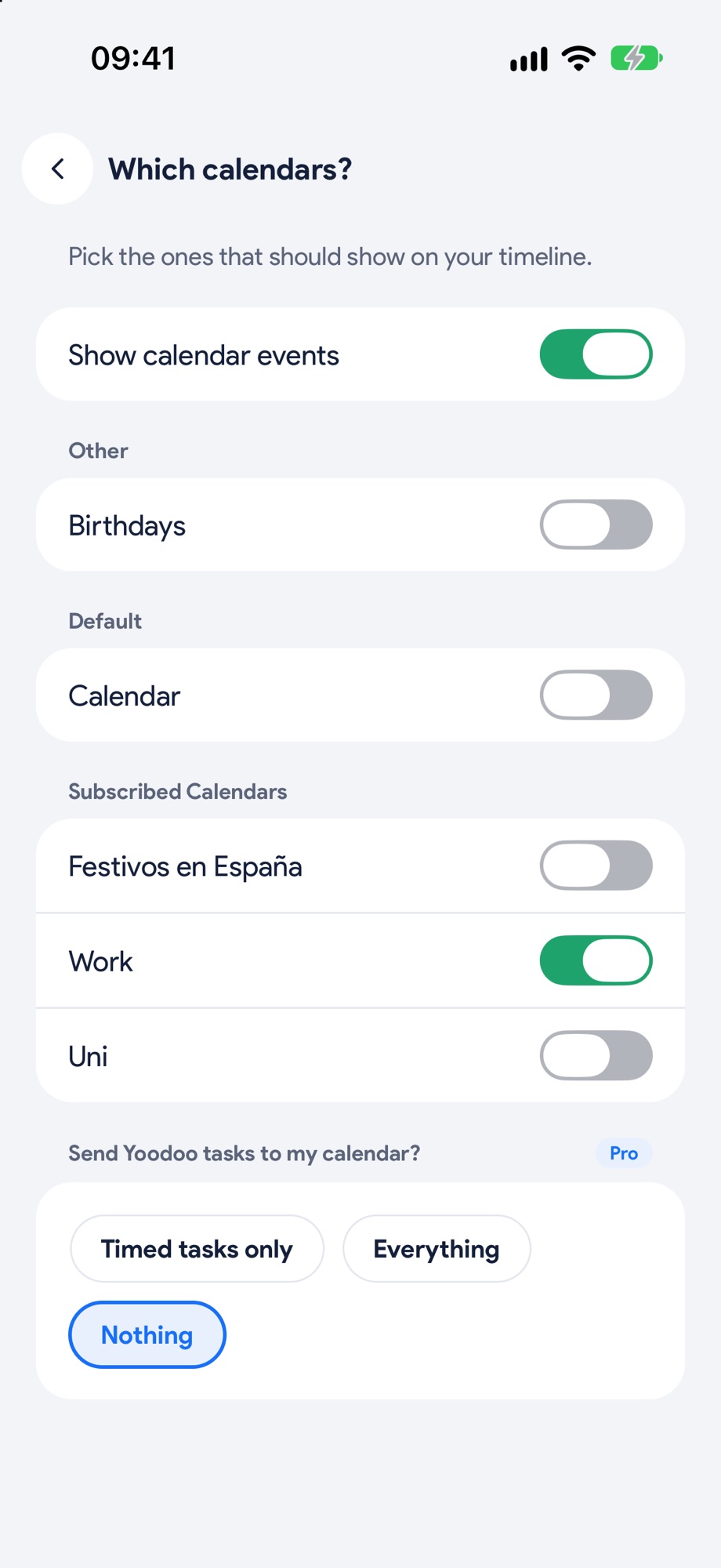
In Settings, tap Calendars and choose which ones show on your timeline. Work on, the rest off.
- 2
Fill the gaps between meetings
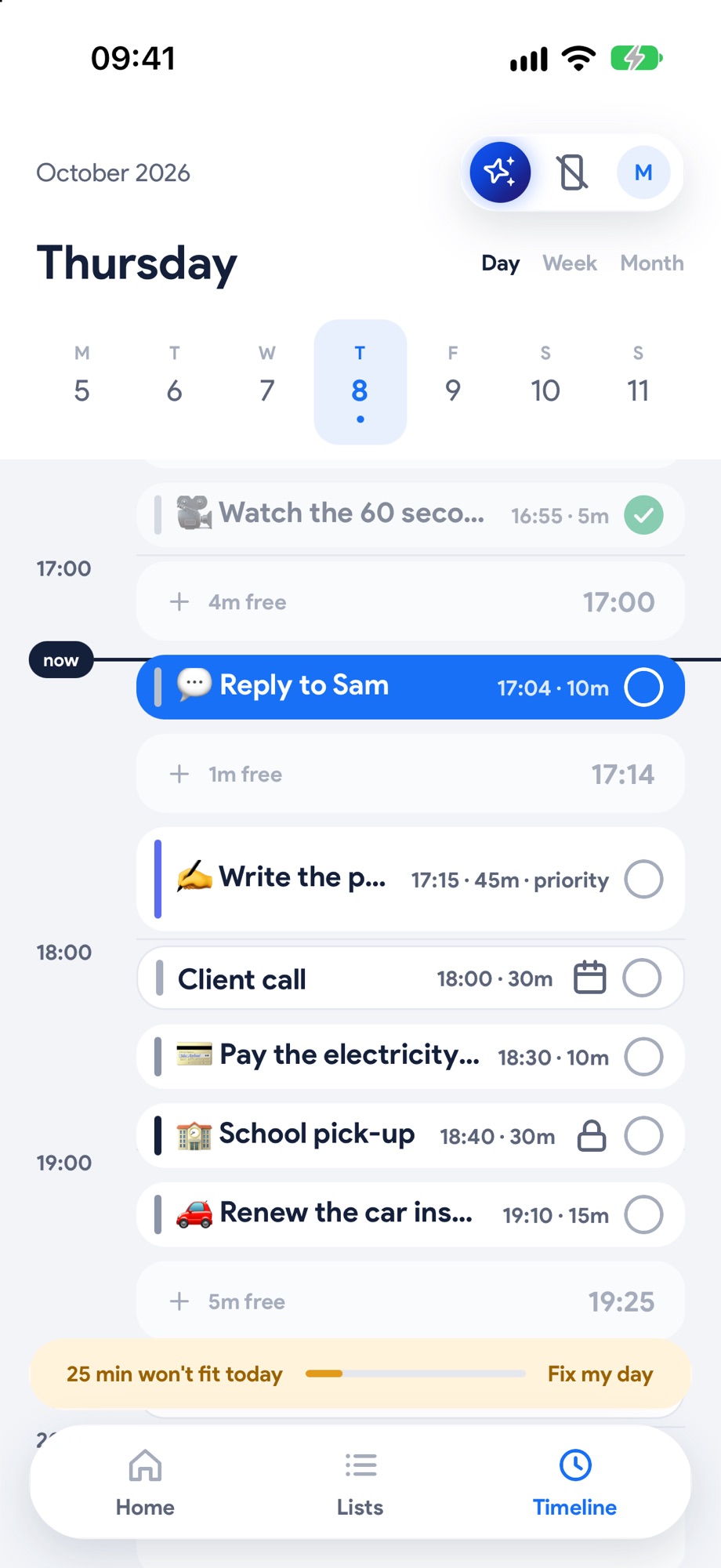
Meetings show as white blocks that never move on their own. Put your tasks in the gaps around them, and lock anything else that's fixed.
- 3
Focus until the next one
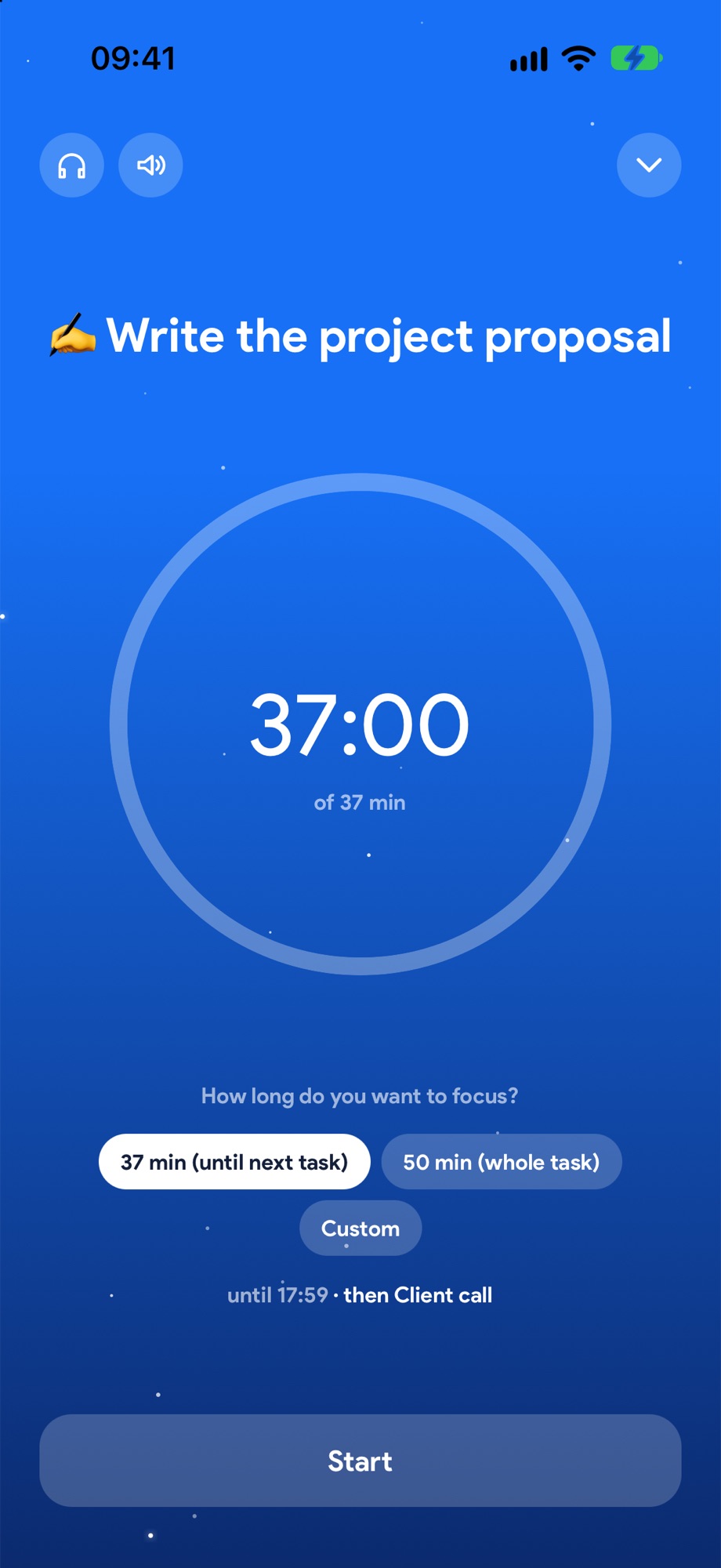
Tap a task and Start focus. Yoodoo offers exactly the time until your next meeting, and tells you what's after it.
- 4
Skipping a meeting?
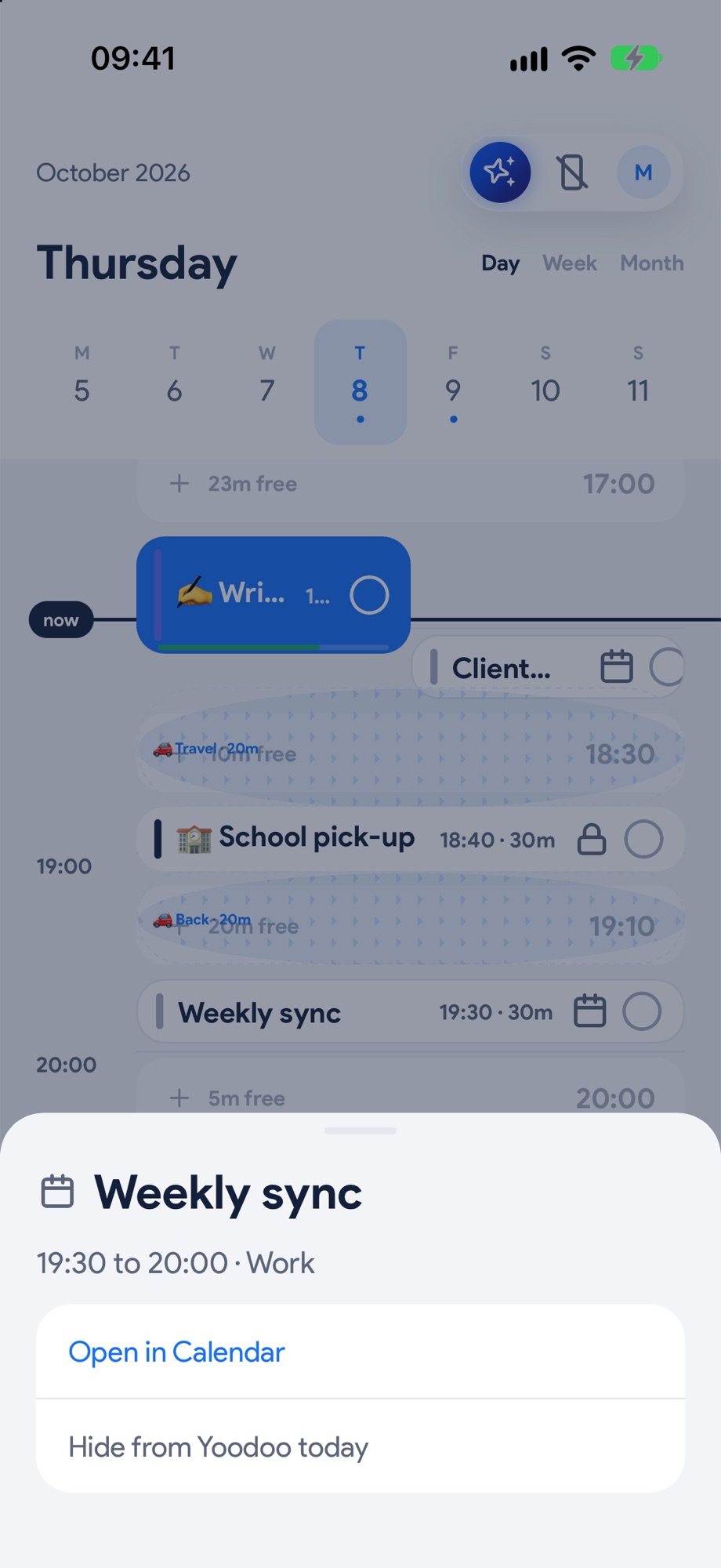
Tap it to Open in Calendar, or Hide from Yoodoo today and the time is yours again.
Next, try these.
Put your calendar on your timeline.
Meetings, lectures and pick-ups become the fixed points. Everything else fits around them, and they never move on their own.
Focus on one thing, phone quiet.
Open the task, pick how long, start. It's just you, the task and a timer, with your distracting apps blocked.
Get your mornings back from your phone.
Pick the apps once. They stay off while you work, with a few short unblocks a day for the real stuff.