Your whole week.
On the big screen.
Yoodoo in your browser, on any Mac or PC. Plan the week at your desk, then let your phone keep you on track.
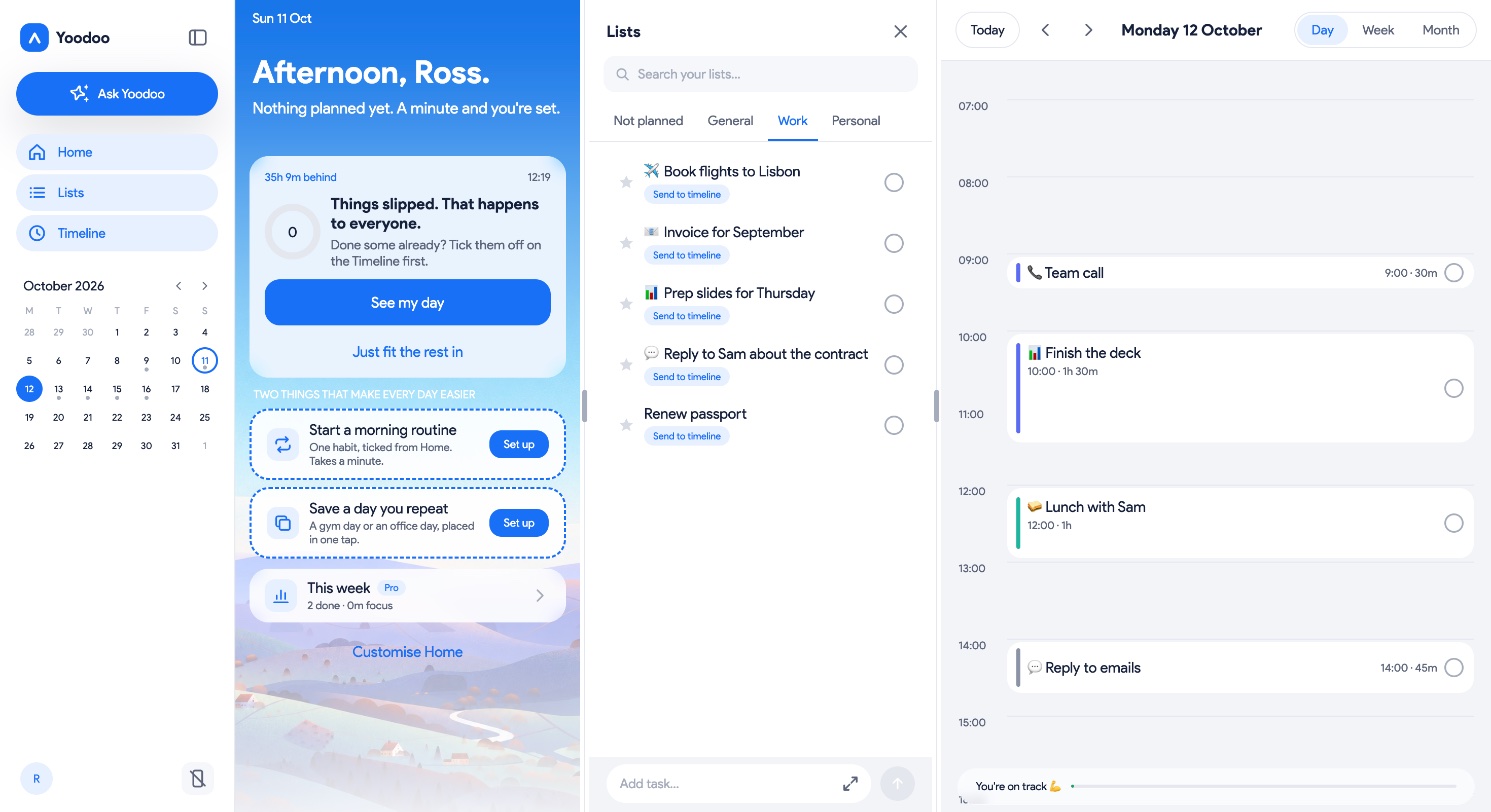
Home, lists and timeline. All in one view.
No jumping between screens. On a computer, Yoodoo puts your whole day side by side: what's next, what's waiting, and where it all fits.
- Home
What's next, how the day's going, and Fix my day the moment it slips.
- Lists
Everything still in your head, out and waiting. Send any of it to the timeline.
- Timeline
Your day, an hour that looks like an hour. Today, this week or the month.
Everything you love on your phone. With room to breathe.
See the whole week
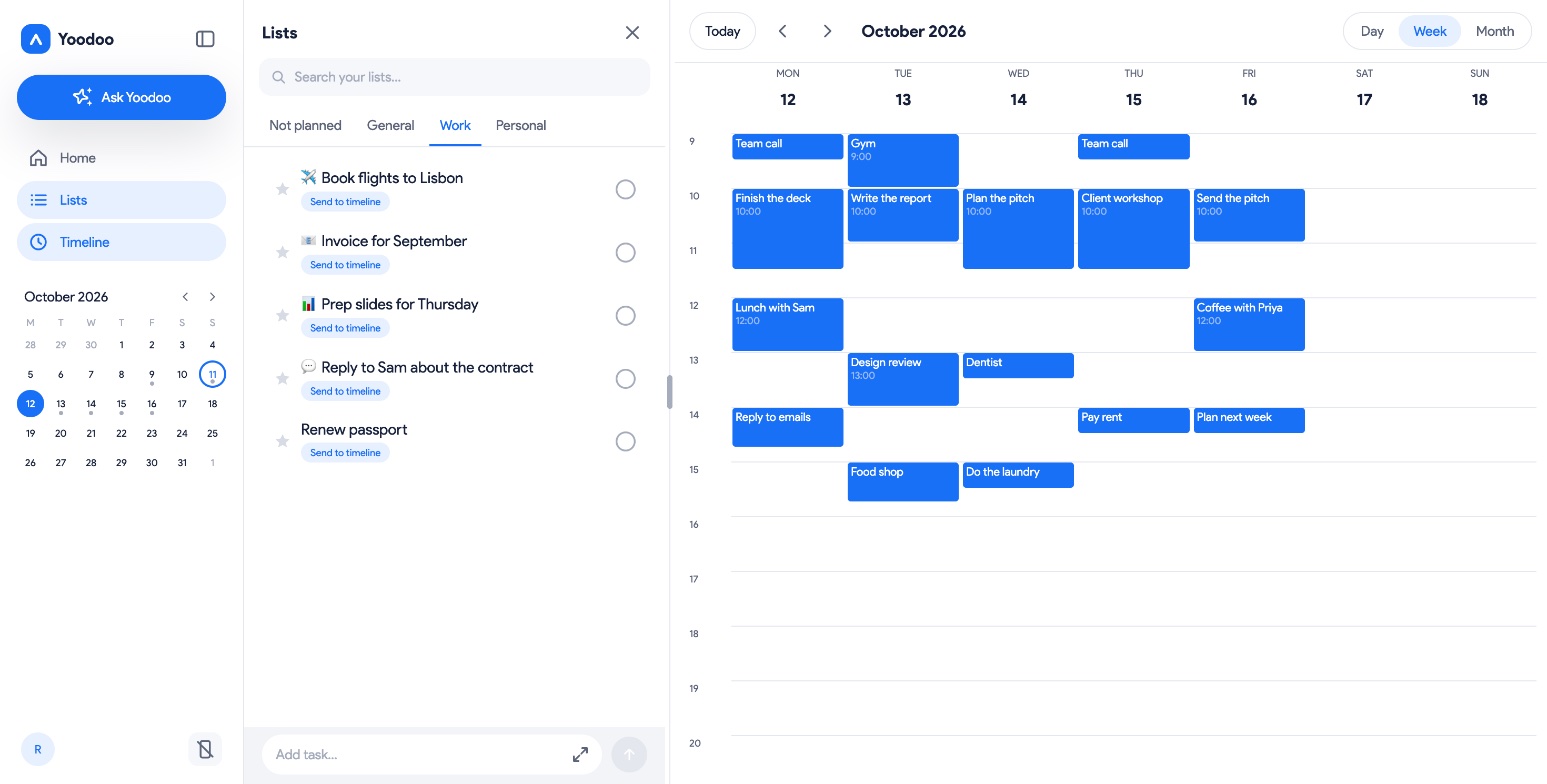
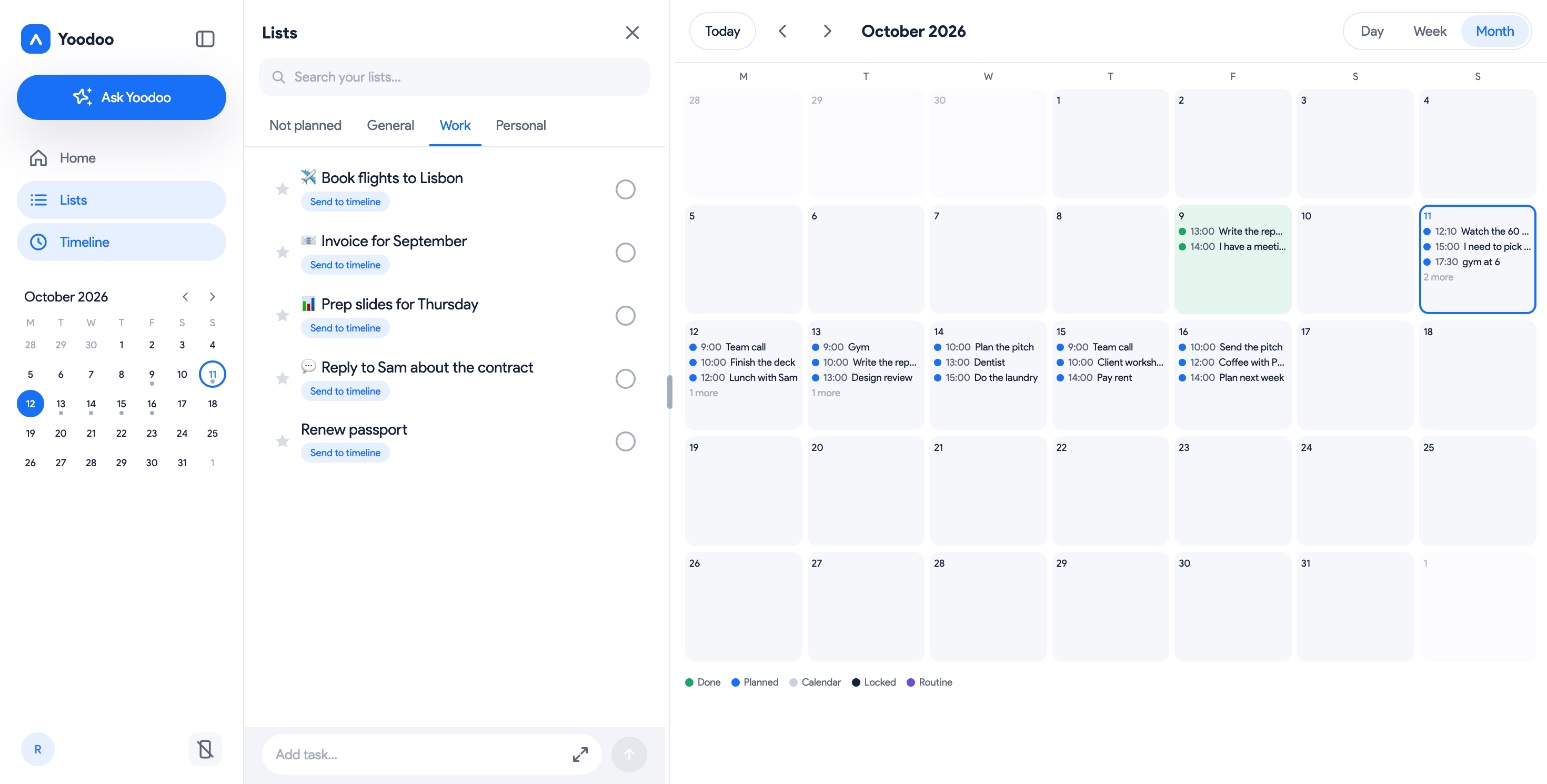
Day, Week and Month on a screen big enough for all of it. Spot the free afternoon before it's gone.
Lists beside your timeline
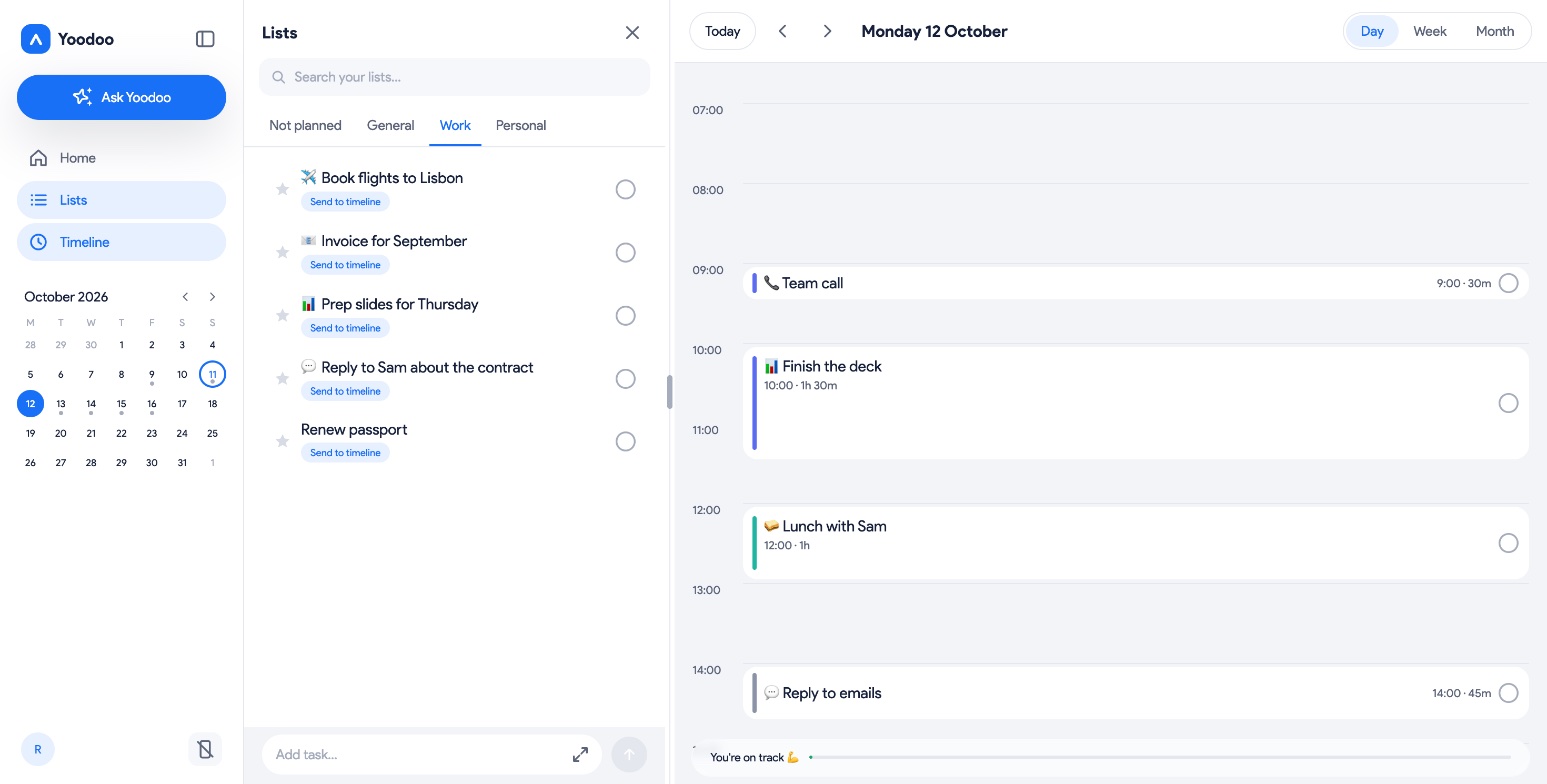
Your lists sit in a panel next to your day. Everything you still have to do, one glance from where it goes.
Ask Yoodoo, at your desk
Type what's on and Yoodoo plans it. Move things, fill lists, break tasks down. Just ask.
Then your phone takes over
Plan at your desk, then walk away. Sign in on your phone with the same email and your day is there.
Zoom in. Zoom out.
One tap to see today in detail, the week ahead, or the whole month.
Up and running in a minute.
Sign up in your browser
Your email and a six-digit code. No password, ever.
Build your first day
A couple of minutes. Tell Yoodoo what you want to get done, and it fits it in.
Get the phone app
Scan the code from your screen and sign in with the same email.
Free for your first week.
Do I need to download anything?
No. Yoodoo runs in your browser on a Mac or PC. Open it, sign in, and plan.
Is it the same Yoodoo as on my phone?
Yes. The same Timeline, lists, habits, Fix my day and Ask Yoodoo, laid out for a big screen.
Can I start on the web and use my phone later?
Yes. Sign up on the web, then download the app and sign in with the same email. Your day is waiting.