Put your calendar on your timeline.
Meetings, lectures and pick-ups become the fixed points. Everything else fits around them, and they never move on their own.
2 min · For Horizon Watcher
- 1
Bring your calendar in
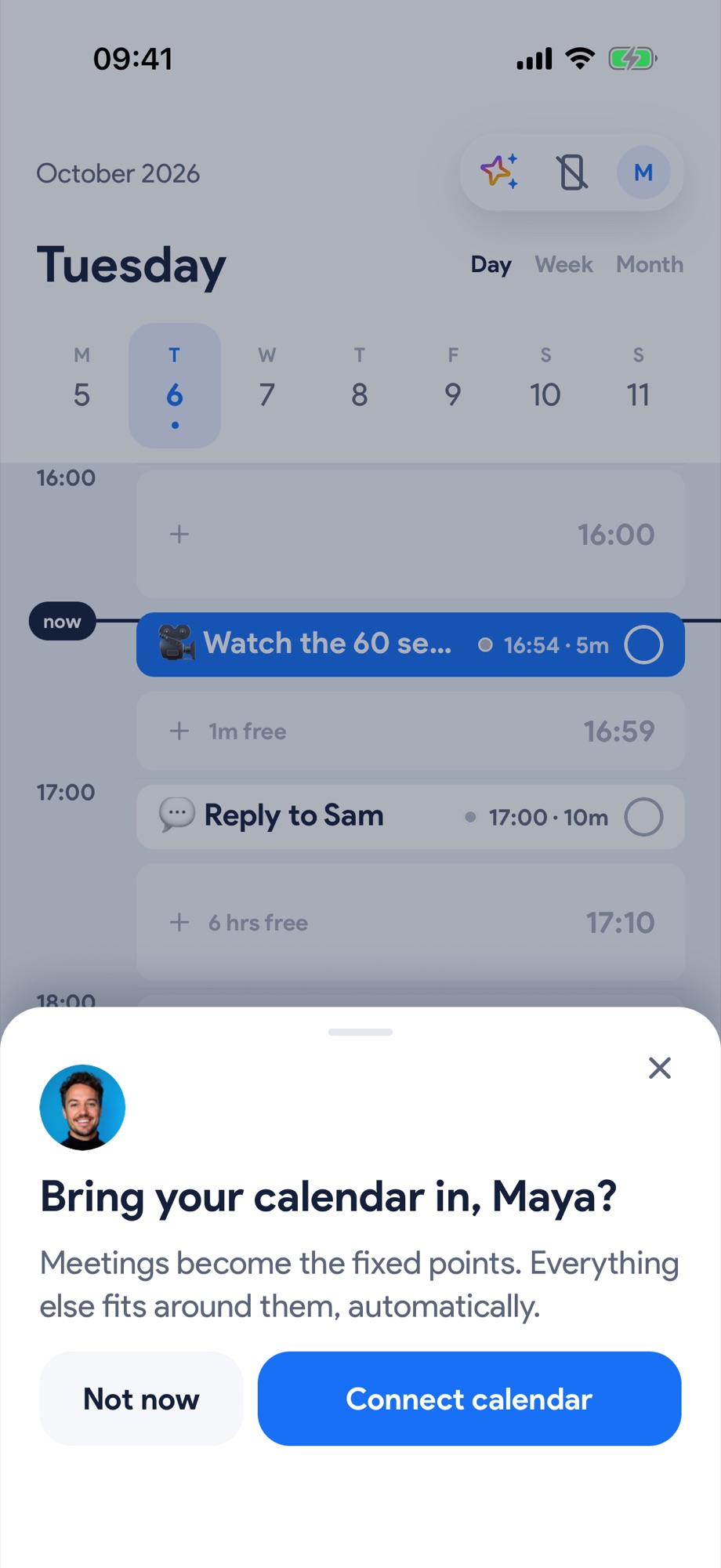
On the Timeline, Yoodoo asks once: Bring your calendar in? Tap Connect calendar.
- 2
Say yes to iOS
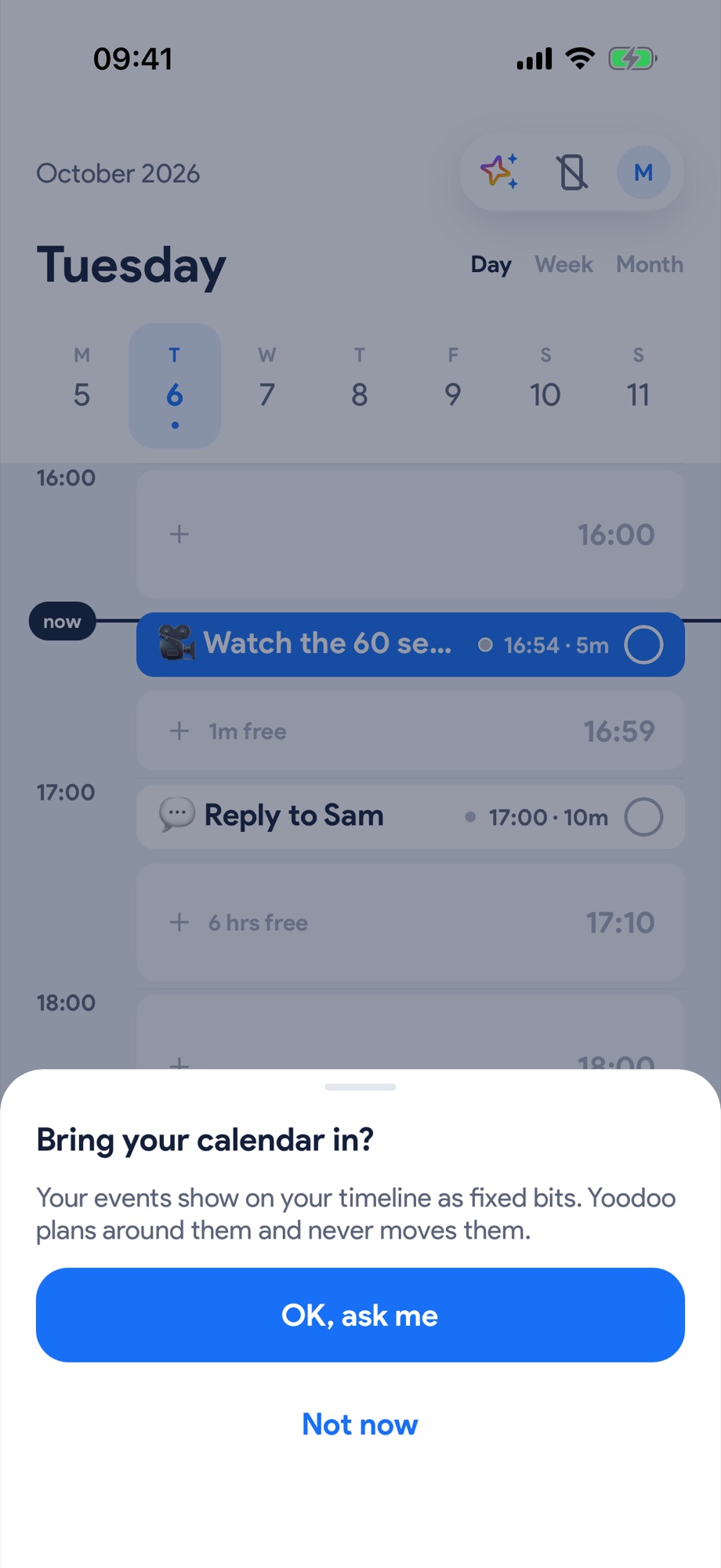
Tap OK, ask me, then allow access in the iOS prompt.
- 3
Your events become the fixed points
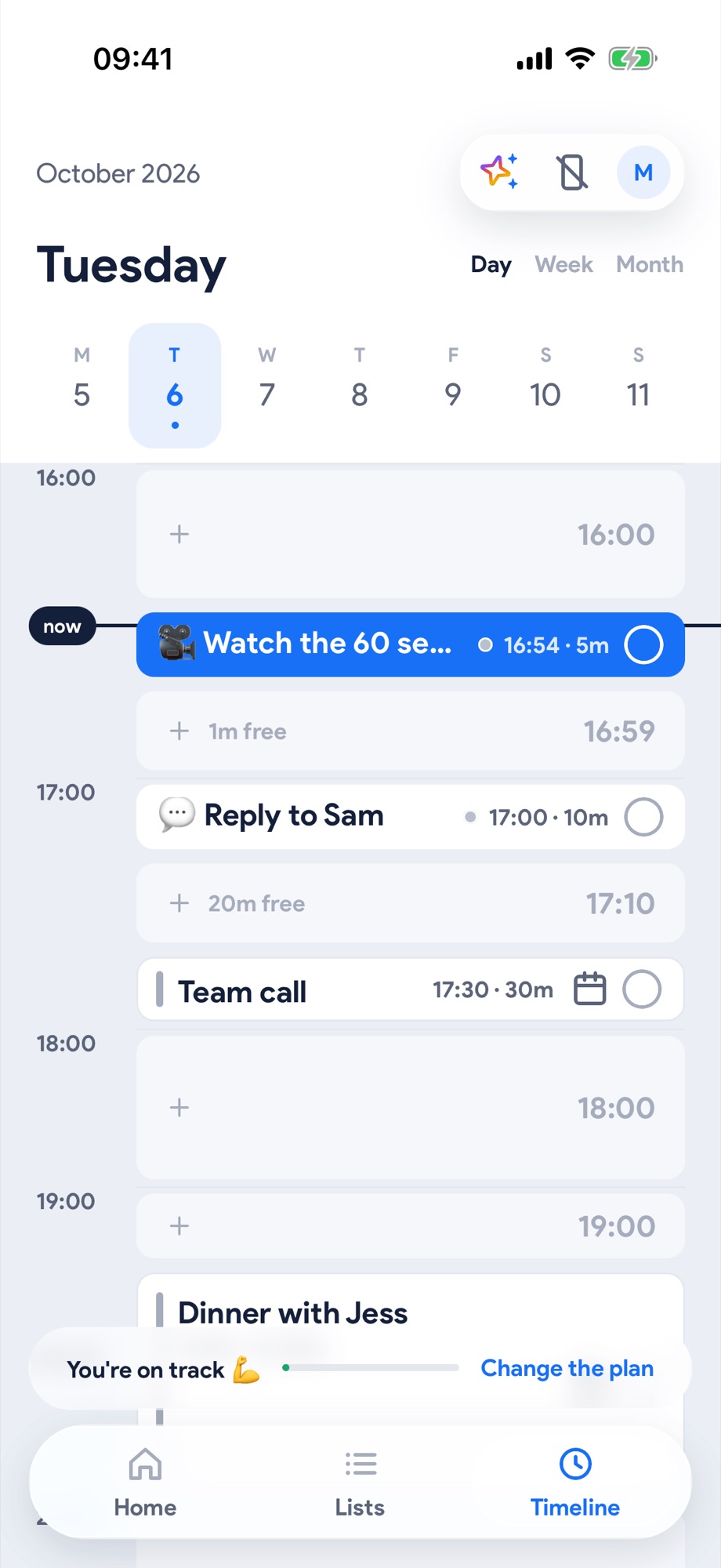
Meetings land on the timeline with a calendar mark. Everything else fits around them, and they never move on their own.
- 4
Pick which calendars show
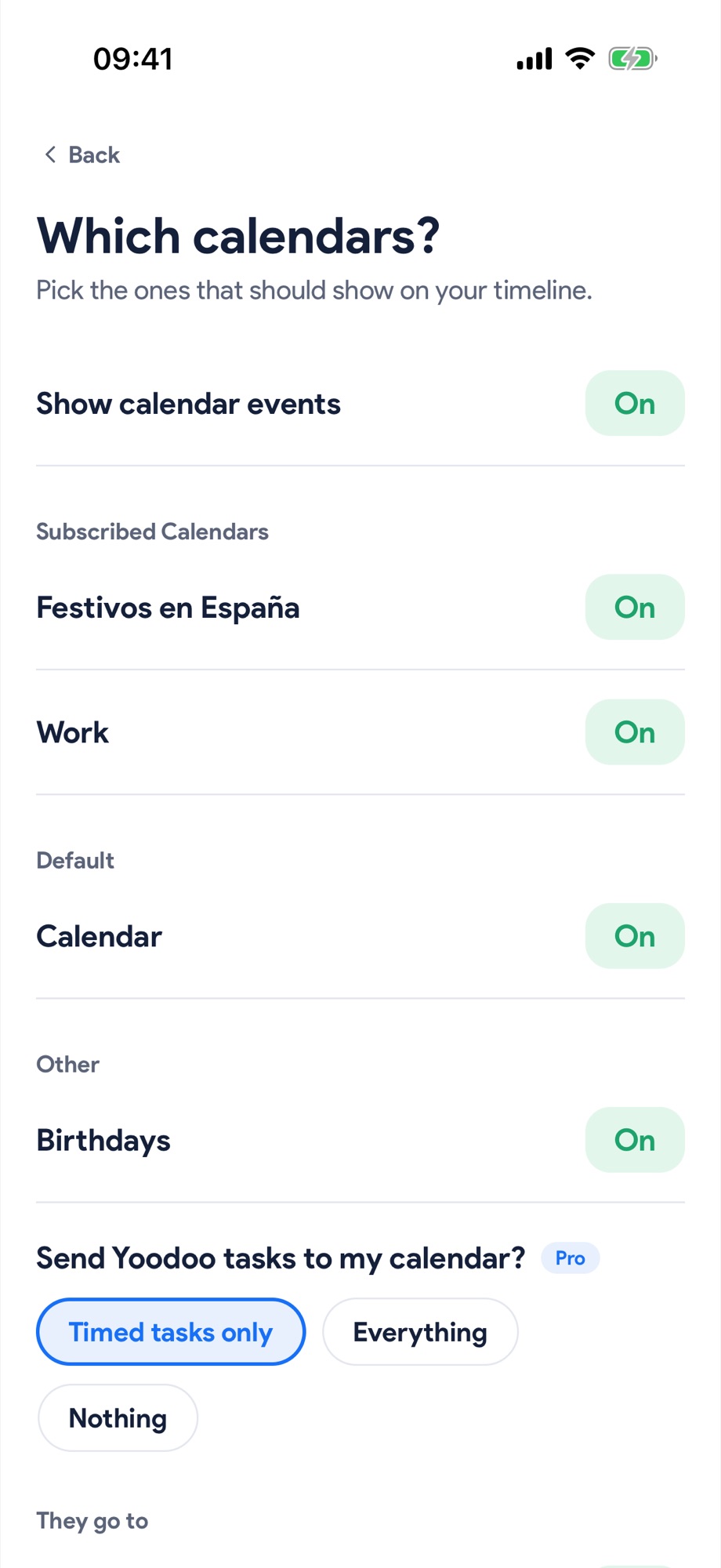
In Settings, Calendars opens Which calendars? Turn each one on or off. With Pro, Yoodoo can send your tasks back to your calendar too.
Next, try these.
Use the time before the thing at 4.
When something's coming up later, the hours before it slip away. The Timeline shows exactly how much time you have, and what fits in it.
Plan your whole day in a minute, by talking.
Say what's on, times and all. Yoodoo builds the day around your fixed things, and locks what can't move.