← Guides
Use the time before the thing at 4.
When something's coming up later, the hours before it slip away. The Timeline shows exactly how much time you have, and what fits in it.
2 min · For Horizon Watcher
- 1
See the gaps
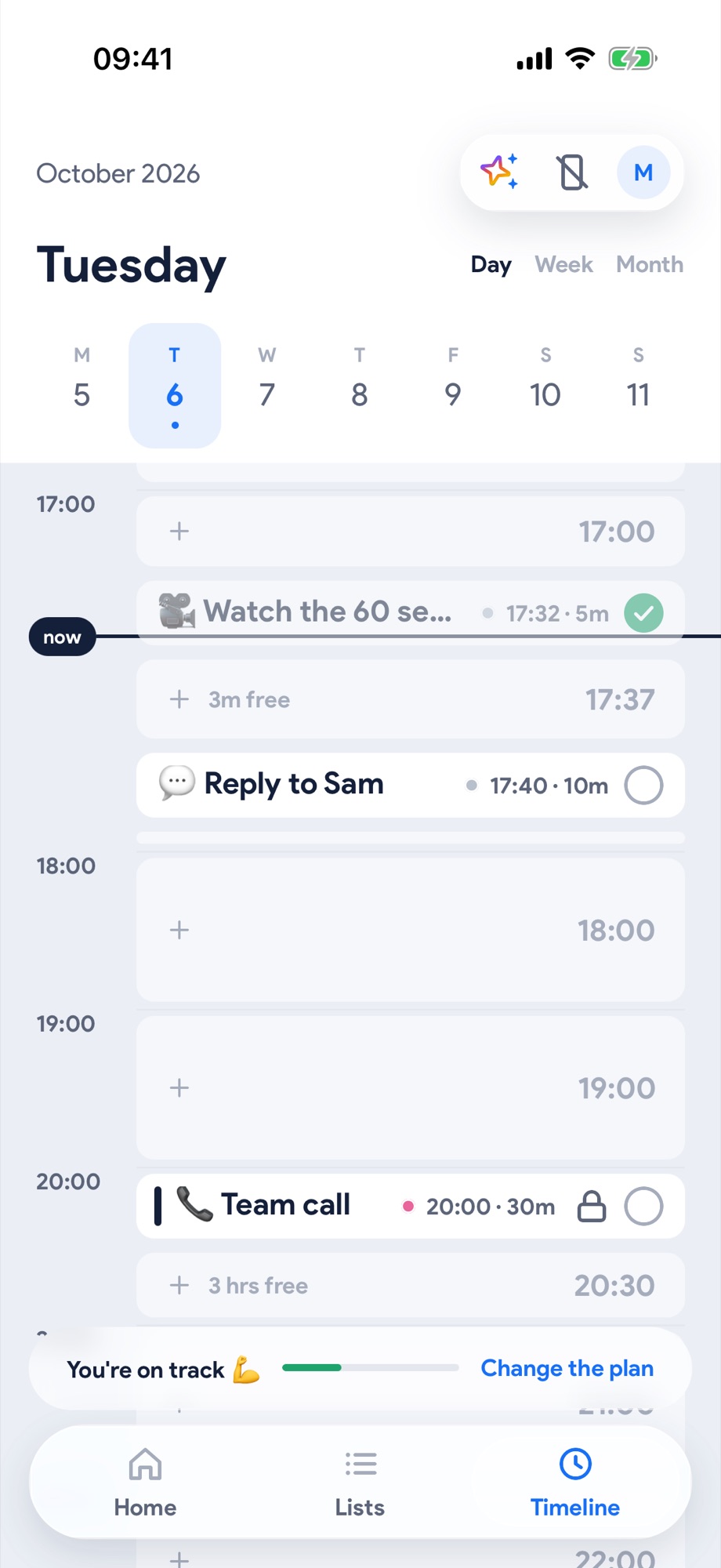
On the Timeline, an hour looks like an hour, and every free gap says how long it is: 3 hrs free before the team call isn't "not worth starting" any more.
- 2
Tap the gap
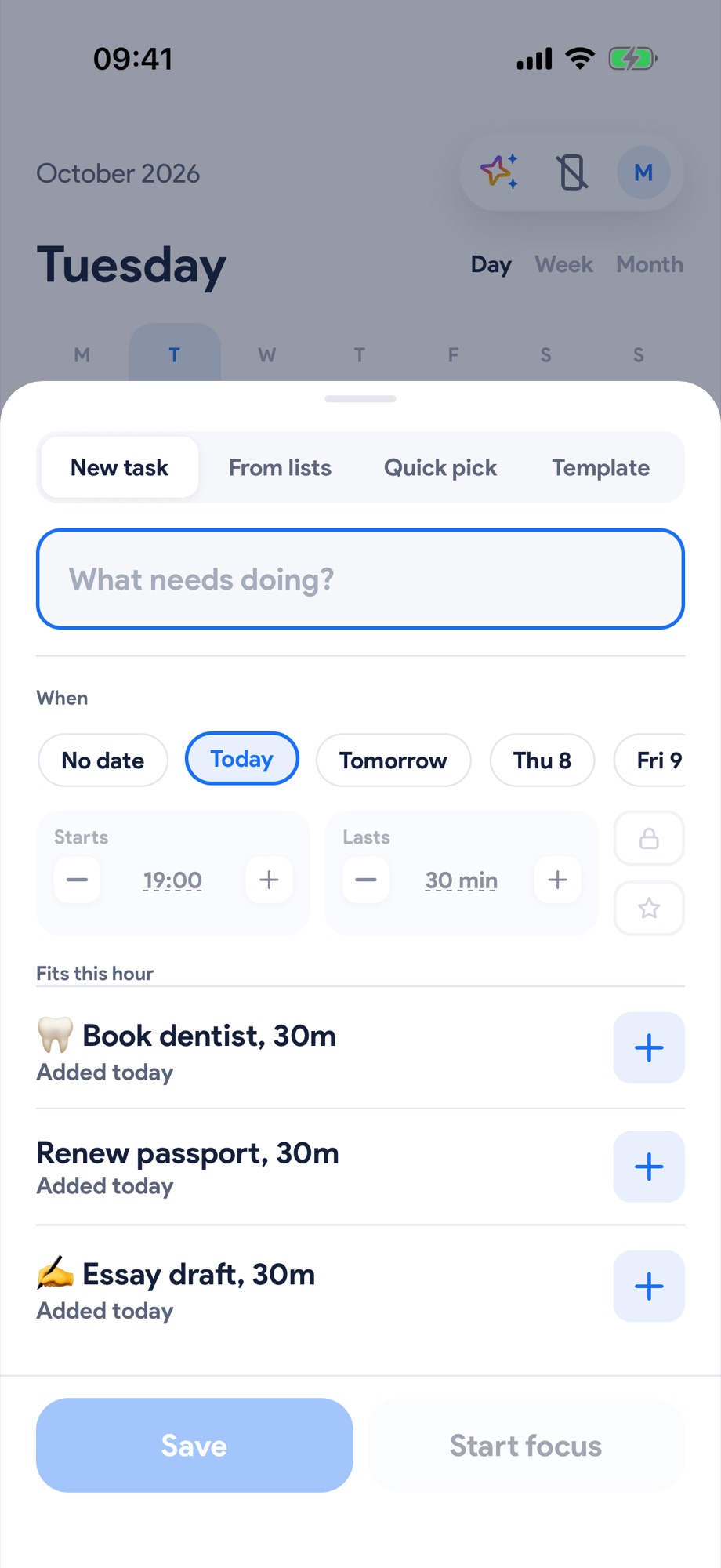
Tap any free stretch. Fits this hour offers things from your lists that are sized to fit. Tap + on one.
- 3
It's placed. Get going.
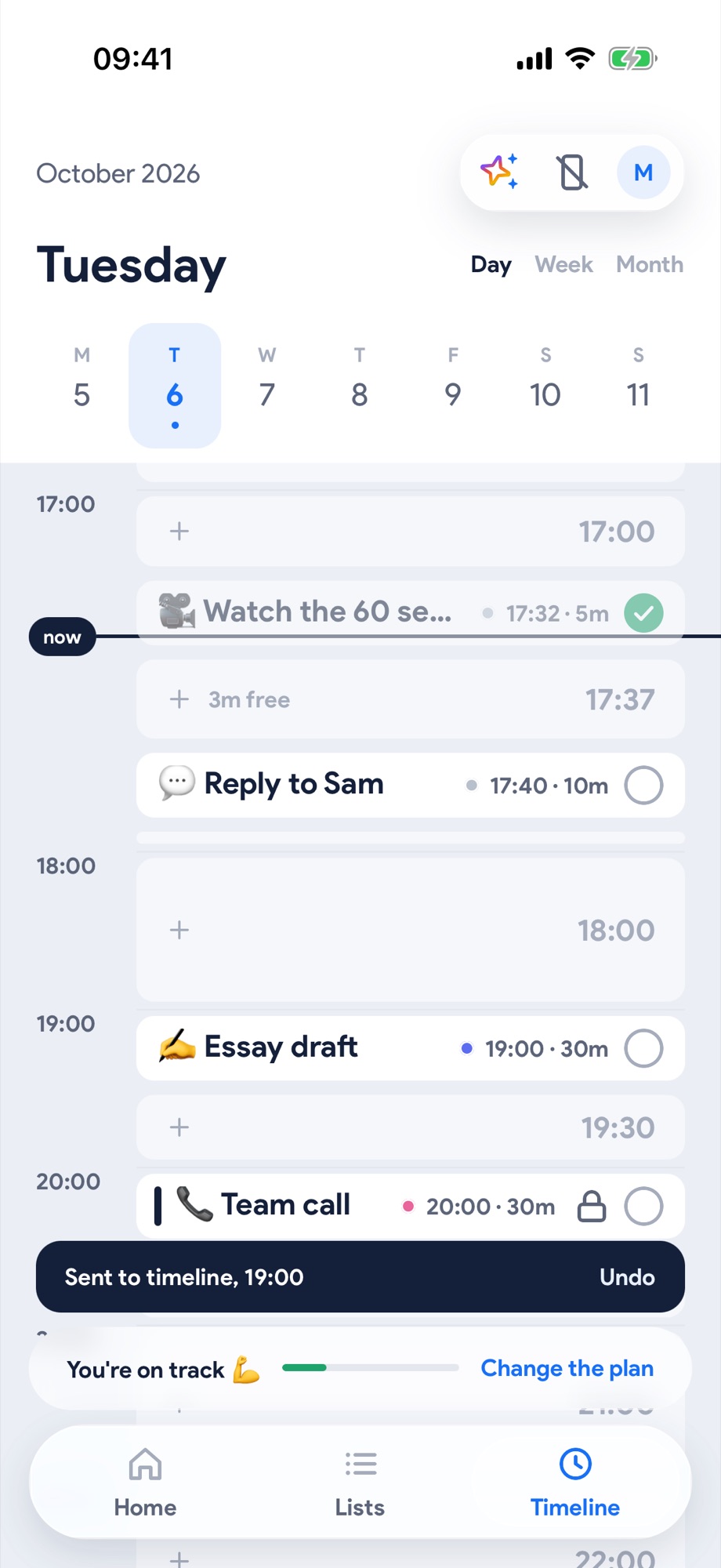
It lands in the gap with Sent to timeline and an Undo. Your call stays exactly where it was.
Next, try these.
Put your calendar on your timeline.
Meetings, lectures and pick-ups become the fixed points. Everything else fits around them, and they never move on their own.
Plan your whole day in a minute, by talking.
Say what's on, times and all. Yoodoo builds the day around your fixed things, and locks what can't move.