See your day. Actually see it.
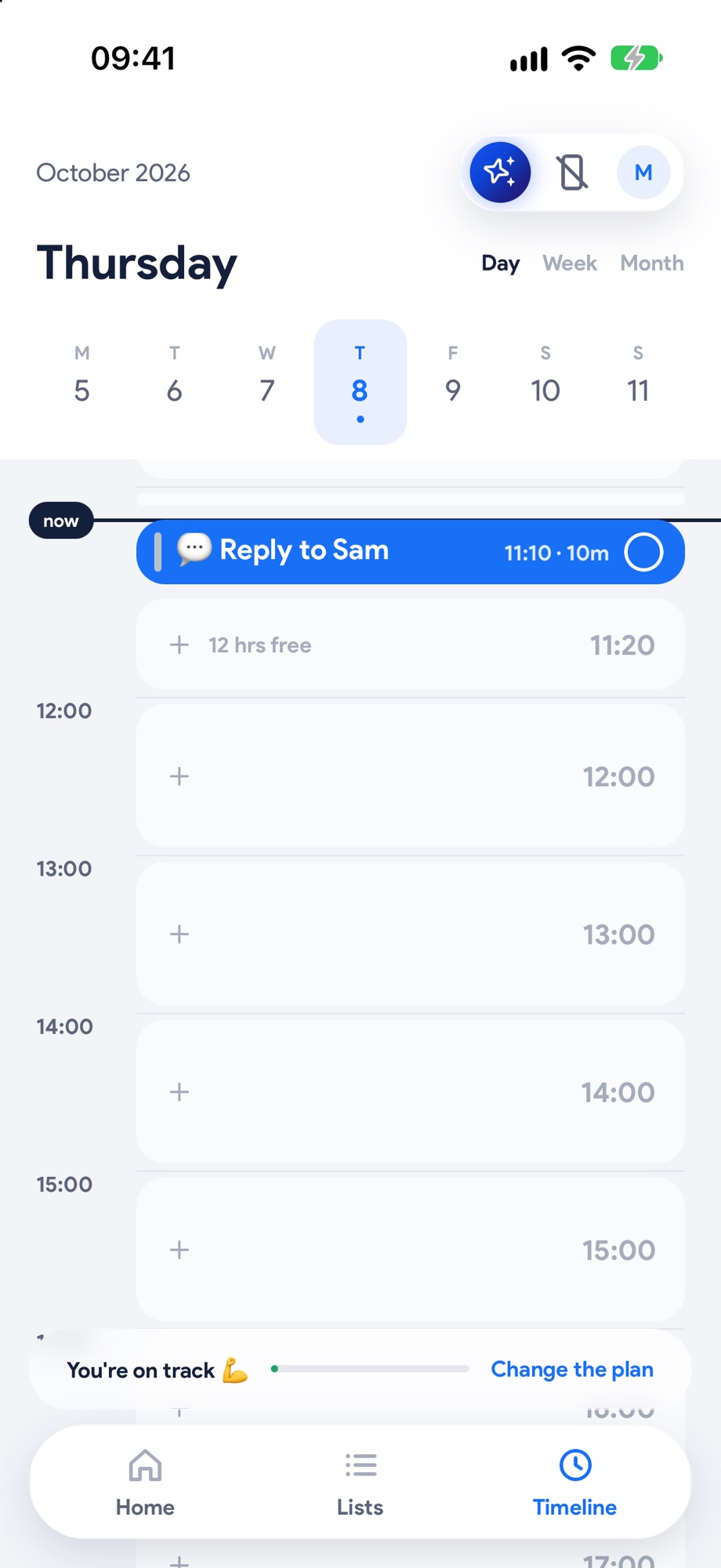
Time blindness is real. So on Yoodoo an hour looks like an hour, every task is drawn to its length, and every free gap is right there for you to fill. No more guessing how much you can fit in before 3pm.
Three steps. That's it.
- 1
Your day, to scale
Every hour is the same height and every task is drawn to its length, with your calendar in there too.
 2
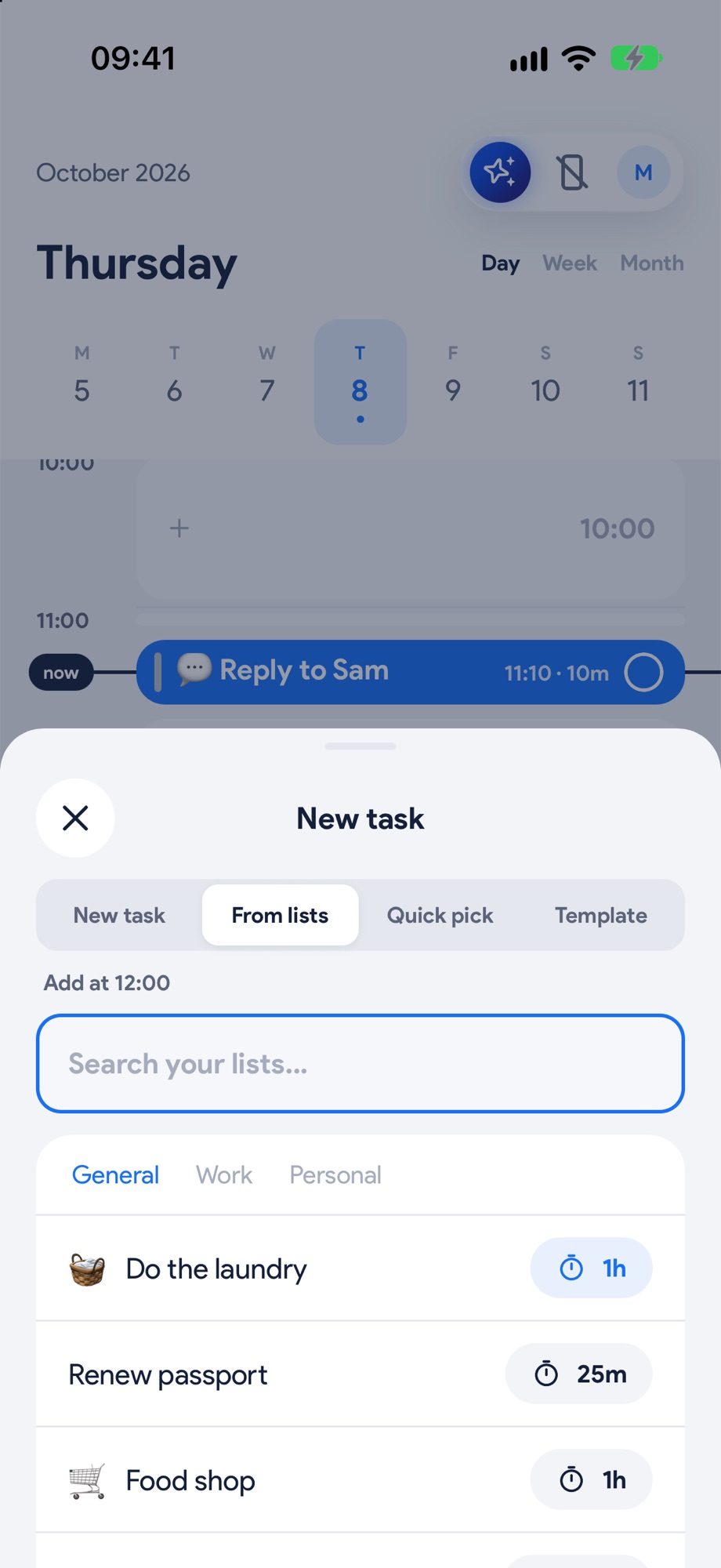
2Fill the gaps
Tap a free gap and pick from your lists, or hold a task and drag it in. It snaps to the nearest 15 minutes.
 3
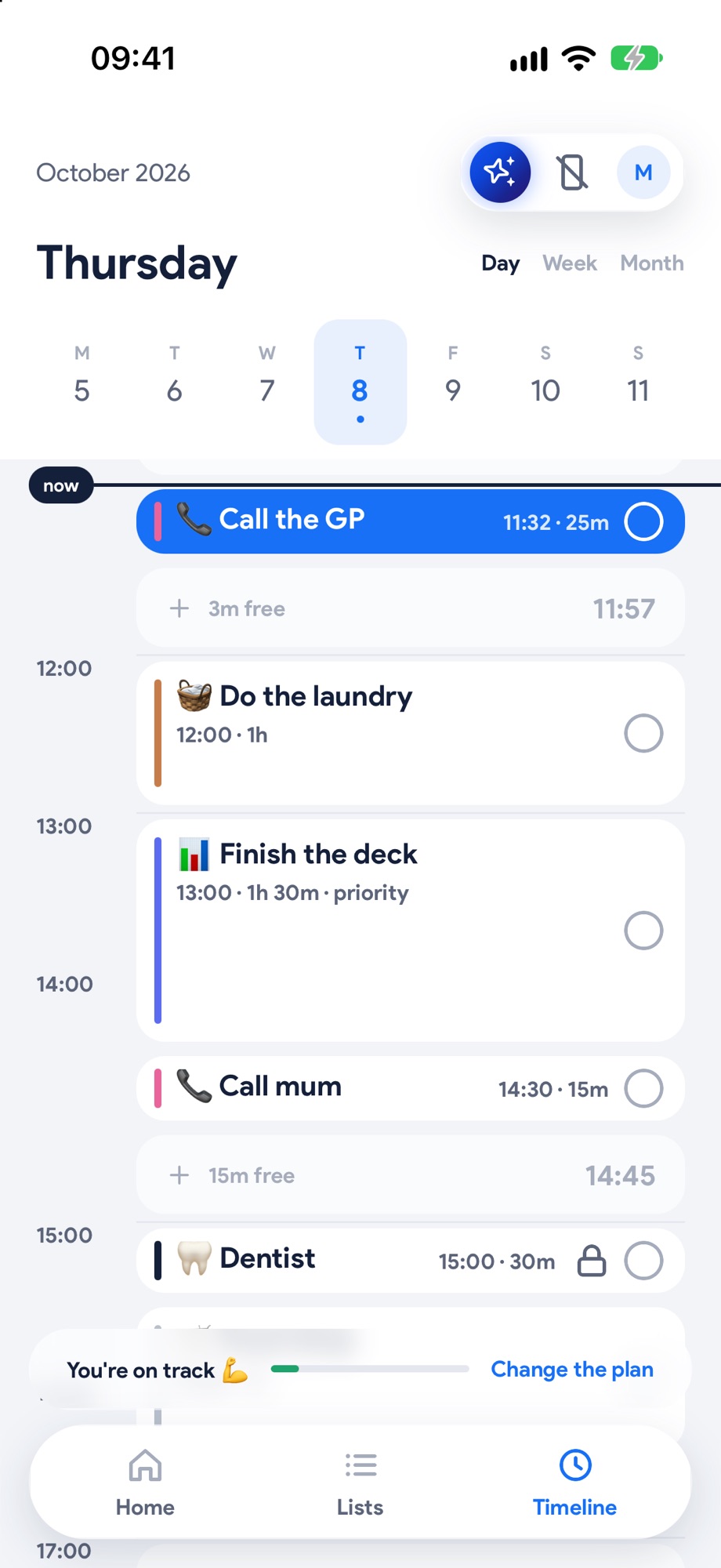
3Follow the blue
Whatever you're meant to be doing right now is filled blue. Tap it to start, tick or move it.
Built for how your brain works.
A list tells you what to do. It doesn't tell you whether it fits. With time blindness, 'I'll do it after lunch' quietly becomes 'I didn't do it'.
Seeing your day drawn to scale makes time real. You can see the 40 minutes before your next thing, and what actually fits in it.
What you get
- Tap any free gap to drop something in, or hold a task and drag it where it fits
- Whatever you're meant to be doing right now is the blue one
- Lock the things that can't move, like the school run
- Day, Week and Month views
Good to know.
Can I see more than one day?
Yes. Switch between Day, Week and Month at the top of the Timeline.
What happens to things I don't get to?
They roll on. They never pile up or turn red, and Fix my day finds them a new spot.