← Every featureCalendar sync
Your calendar, both ways.
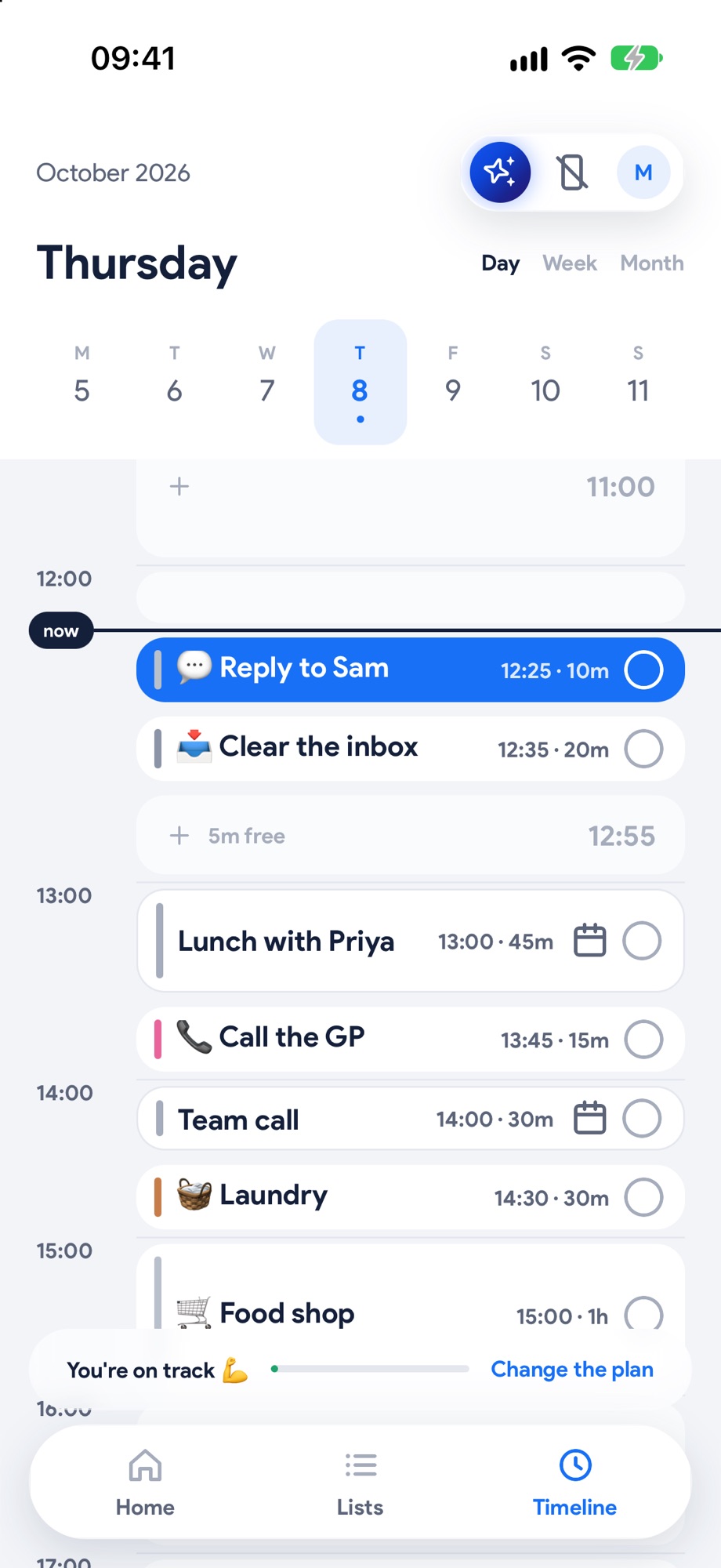
Meetings come in, so you plan around what's really happening. Your tasks go out, so your calendar finally shows the whole day, not just the meetings.
Three steps. That's it.
 1
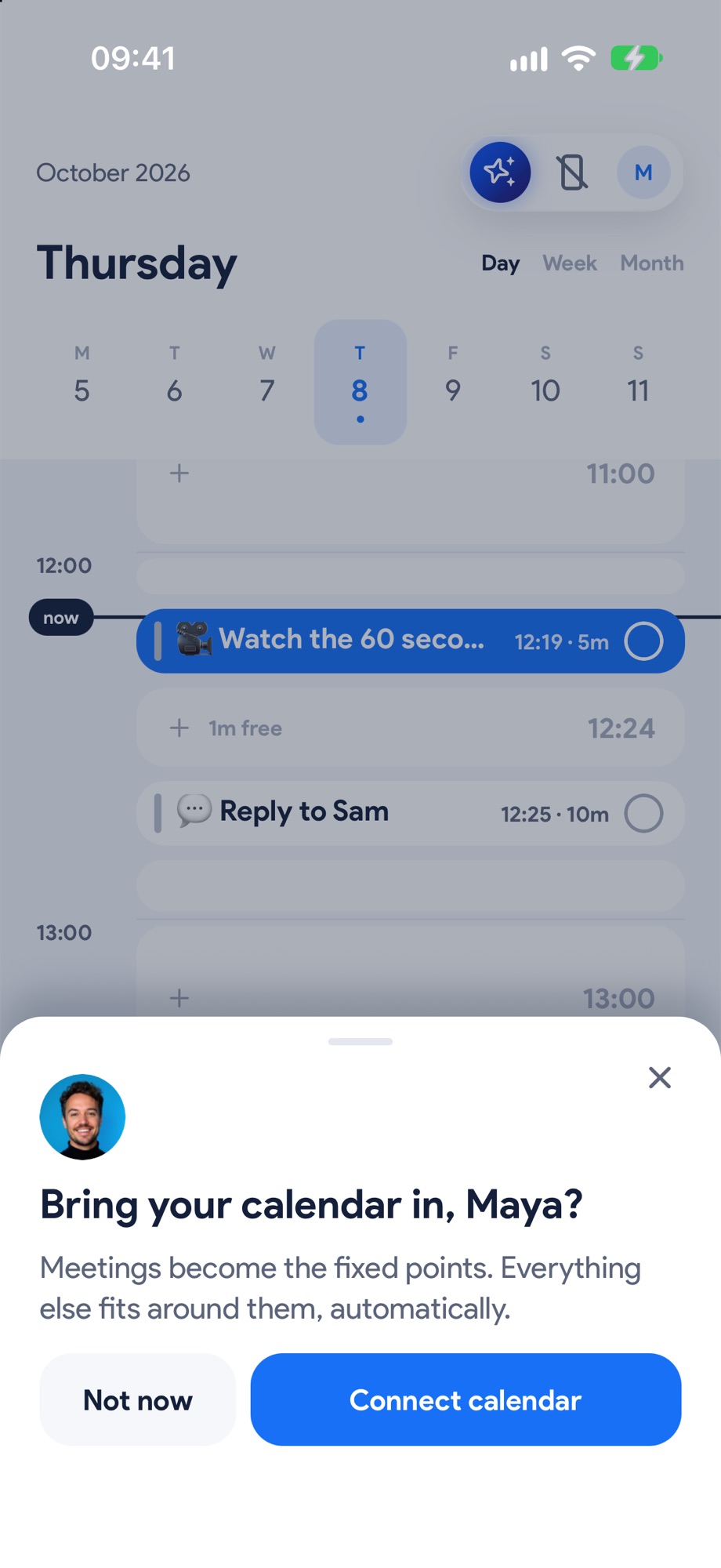
1Connect your calendar
Google, or the calendars already on your phone. It takes a tap.
 2
2Meetings come in
They sit on your Timeline as fixed blocks, and Yoodoo plans around them.
- 3
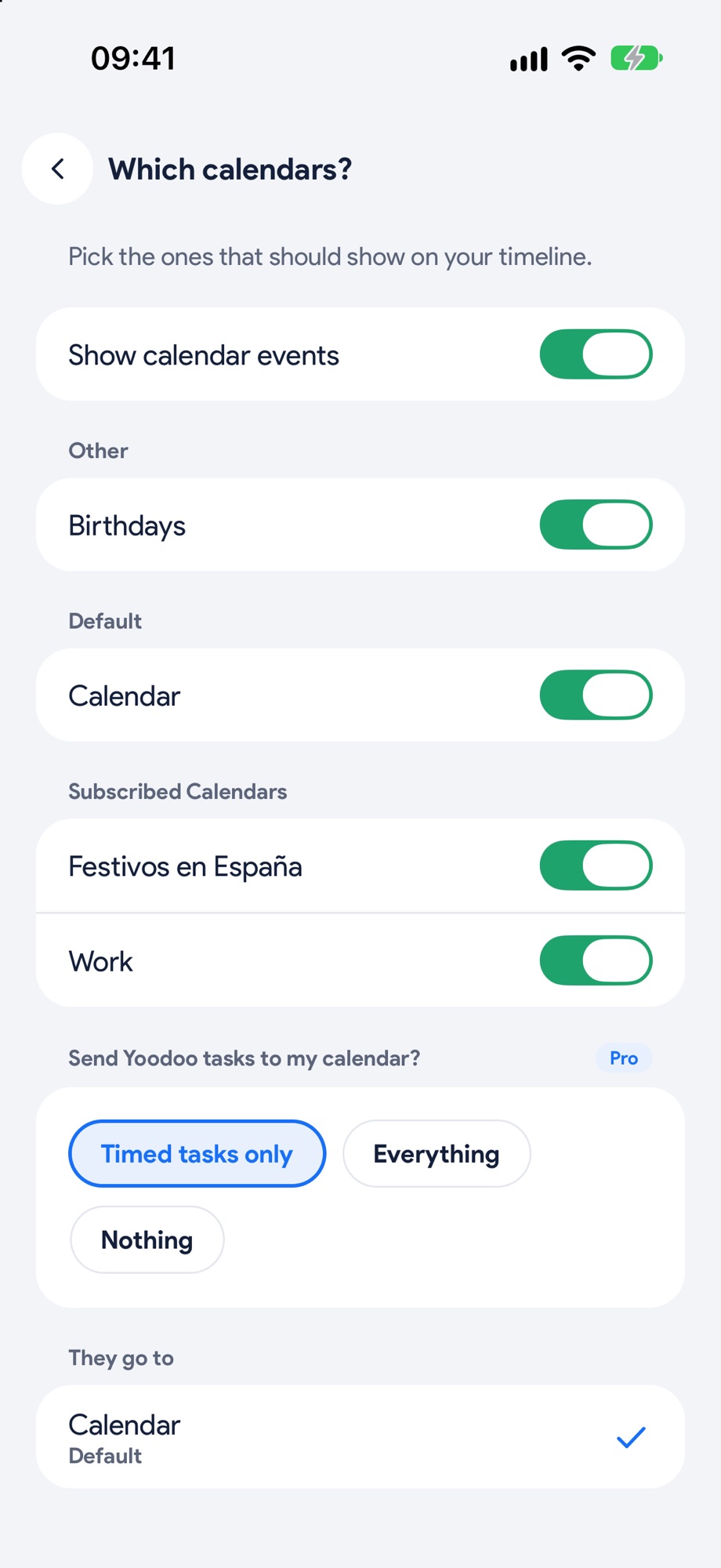
Tasks go out
With two-way sync, your planned tasks show up in your calendar too.
Why it helps
Built for how your brain works.
Juggling a calendar and a to-do list means two places to check, and the one you forget is the one that matters.
With both in one Timeline, you see the whole day in one place: the meeting at 2 and the 40 minutes you have before it.
What you get
- Google Calendar and the calendars on your phone
- Meetings never get moved by Yoodoo
- Tasks sent back to your calendar
- Every calendar you use, in one place
Good to know.
Which calendars work?
Google Calendar, and the calendars on your phone.
Will Yoodoo move my meetings?
Never. Calendar events stay put, and Yoodoo plans around them.