Lock in the school run.
Drop-offs and pick-ups can't move, so lock them. When the day runs late, Yoodoo moves everything else and leaves them alone.
2 min · For Horizon Watcher, Deep Diver
- 1
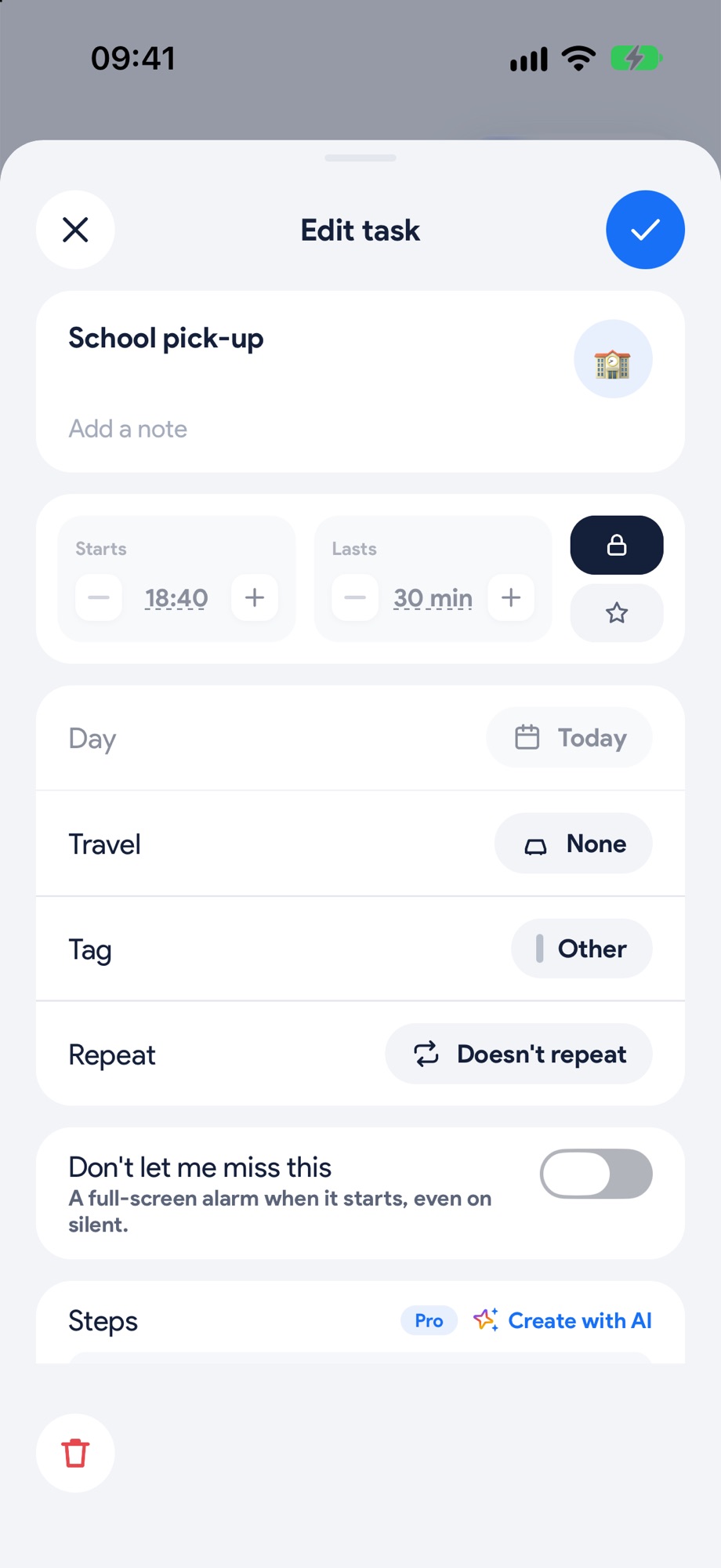
Add it and lock it
Add the pick-up, then tap the lock next to Starts and Lasts. Its time is now fixed. Tell Ask Yoodoo a task with a time and it arrives locked already.
- 2
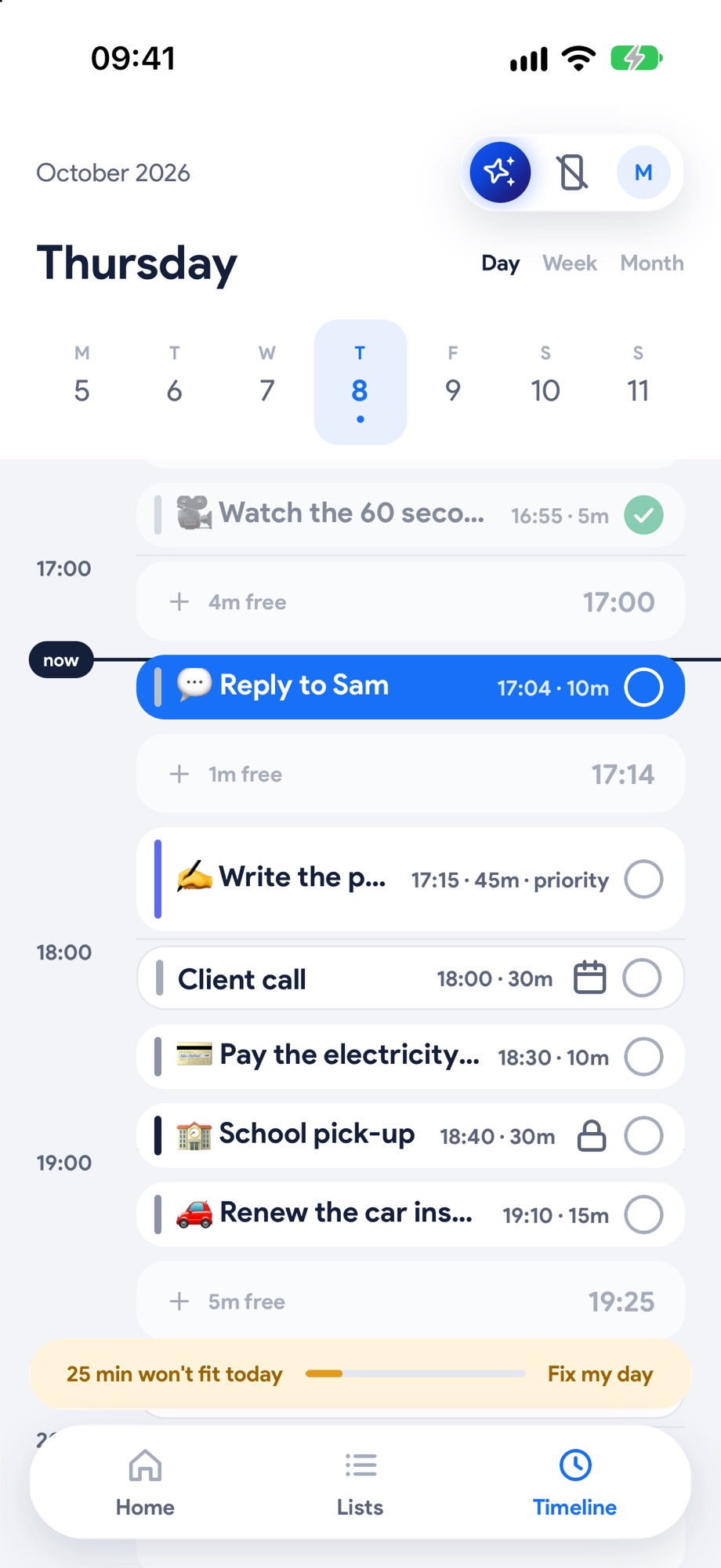
See what can't move
Locked blocks are dark with a lock on them, so you know at a glance what's fixed.
- 3
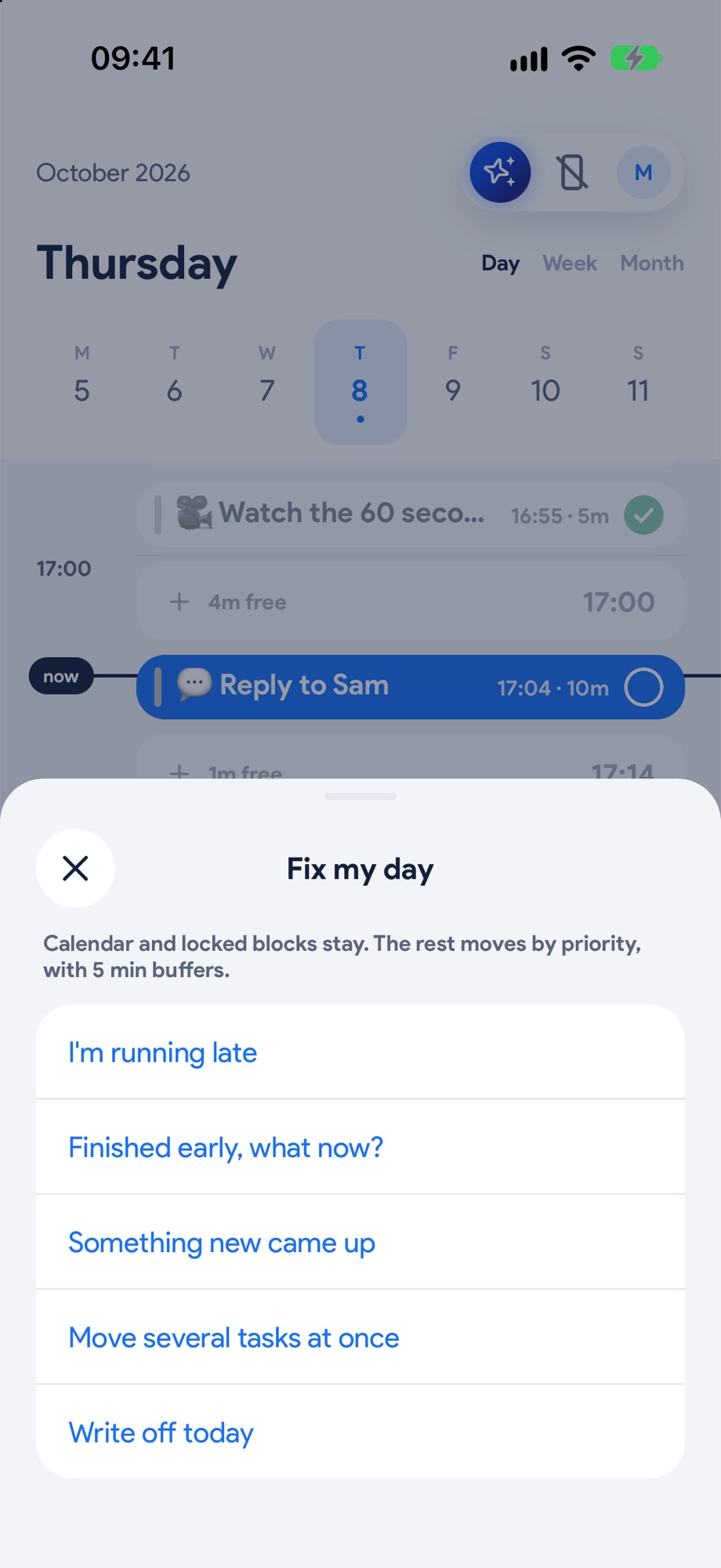
Running late? Fix my day
Tap Fix my day, then I'm running late. Calendar and locked blocks stay. Everything else moves by priority, with 5 minute buffers.
- 4
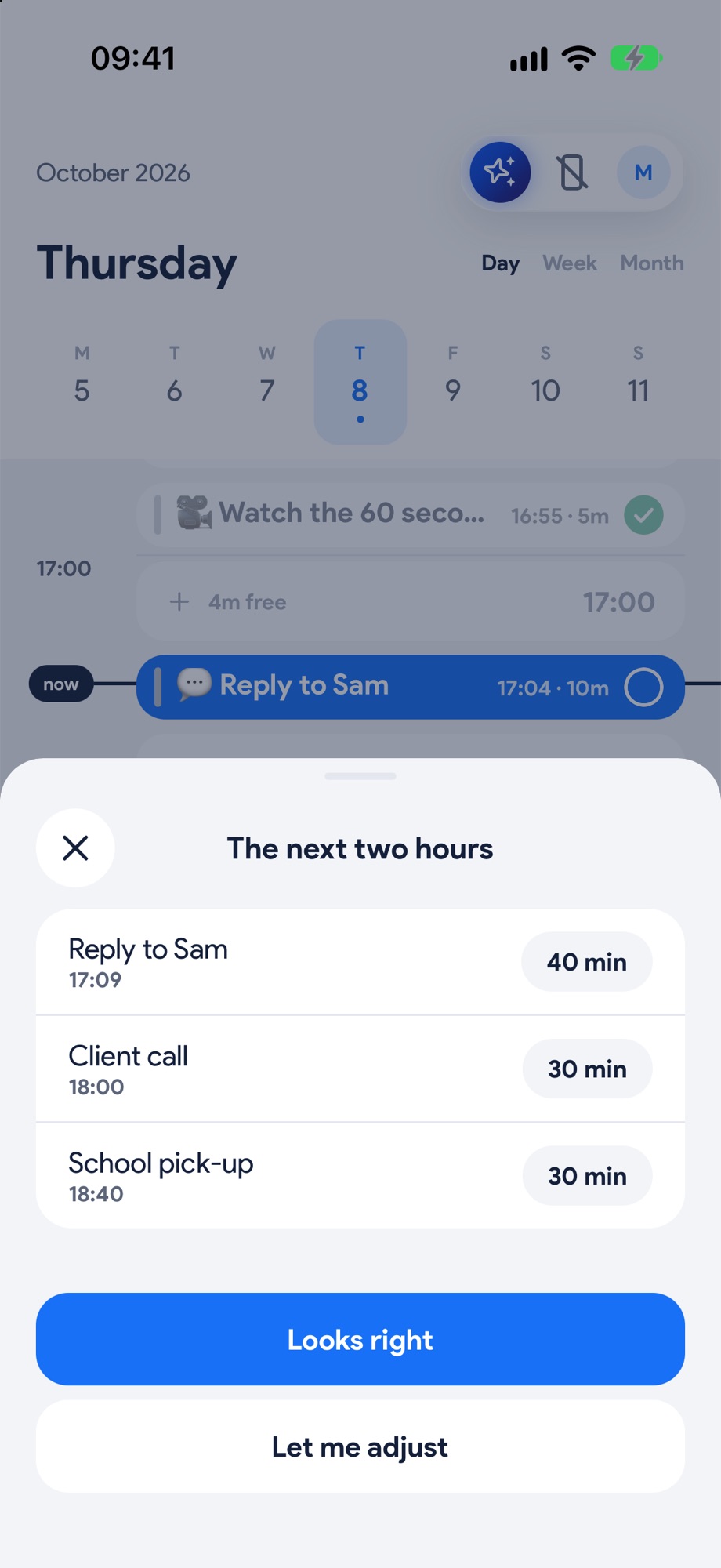
The pick-up stays put
Say how far behind you are and check the next two hours. Everything else has moved, and the pick-up hasn't. Tap Looks right.
Next, try these.
Ran over? Fix the rest of the day in one tap.
Everyone runs over. What matters is what happens to the rest of the day. Yoodoo asks one question and moves what can move.
Get out the door on time.
Save the routine you do every morning, drop it on your day in one tap, and let Yoodoo tell you when it's time to leave.
Never miss the thing you can't miss.
Bills, appointments, the school run. Switch on an alarm for the few things that really matter, and Yoodoo rings when it's time, even on silent.