Get out the door on time.
Save the routine you do every morning, drop it on your day in one tap, and let Yoodoo tell you when it's time to leave.
3 min · For Horizon Watcher, Deep Diver
- 1
Save your routine as a template
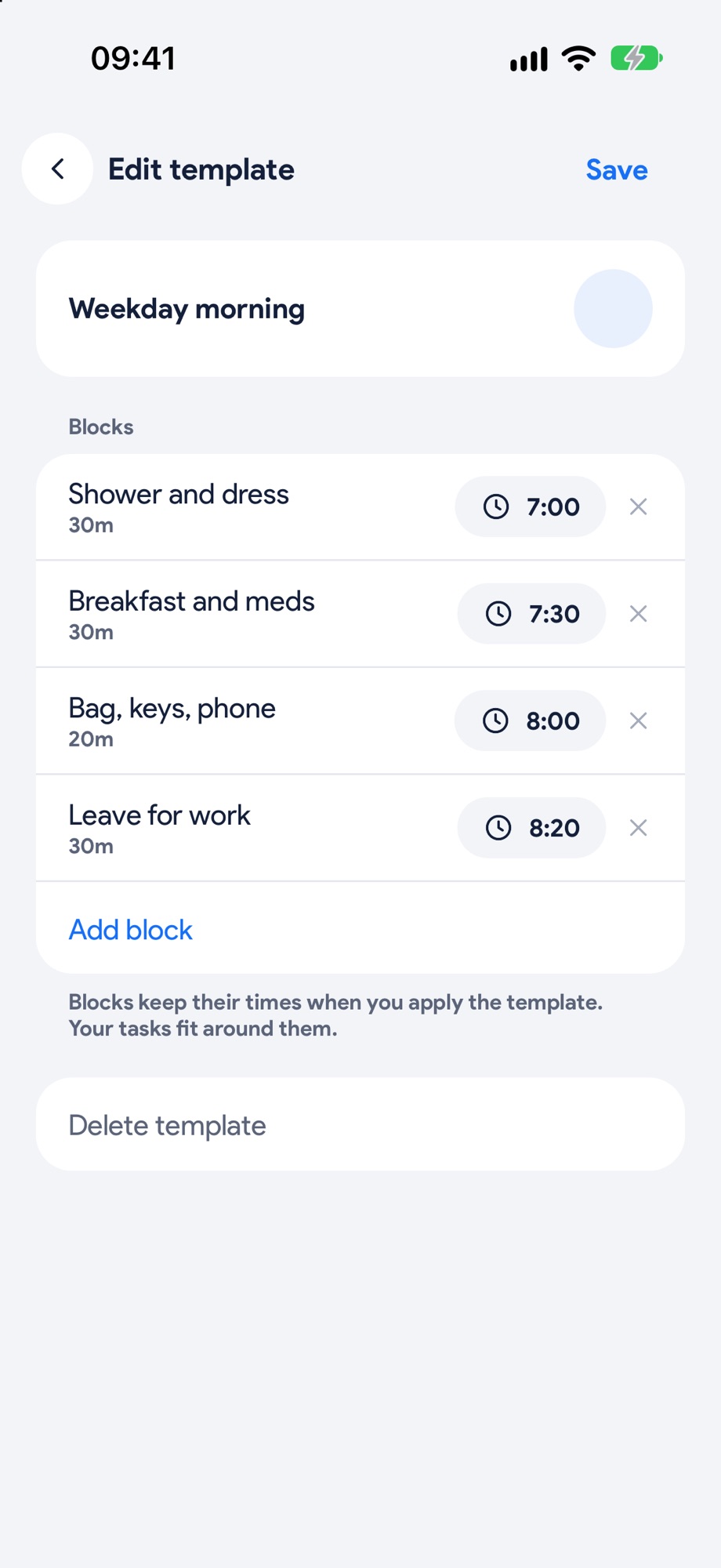
Tap your initial at the top right, then Day templates. Call it something like Weekday morning and Add block for each part: shower, breakfast and meds, bag and keys, leave. Each block starts where the last one ends. Tap Save.
- 2
Drop it on your day
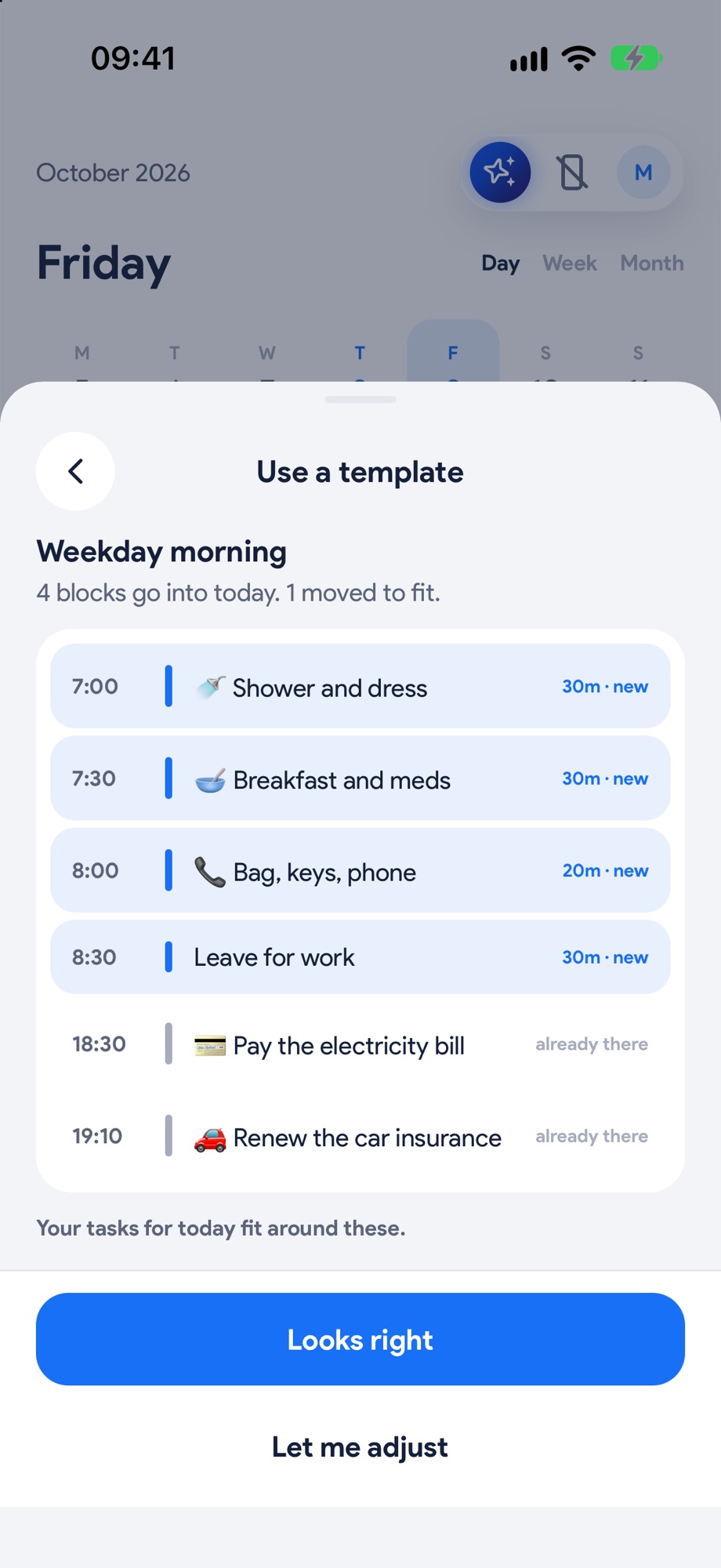
Tap a free hour on the Timeline and pick Template. Yoodoo shows what goes in and what moves to fit. Tap Looks right.
- 3
Add travel time
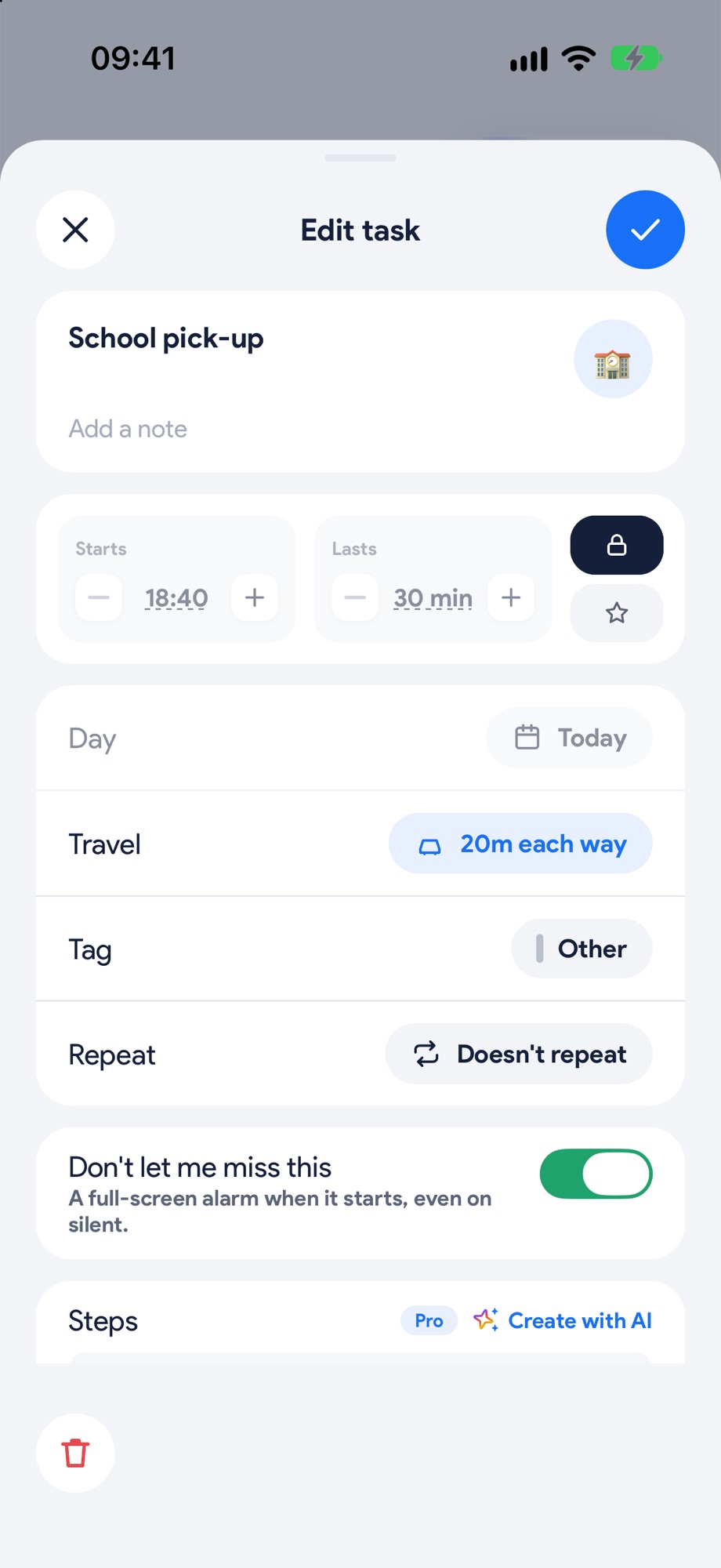
Open anything you have to get to and set Travel, from 10 minutes to an hour each way. For the ones that really matter, switch on Don't let me miss this.
- 4
Leave when Yoodoo says
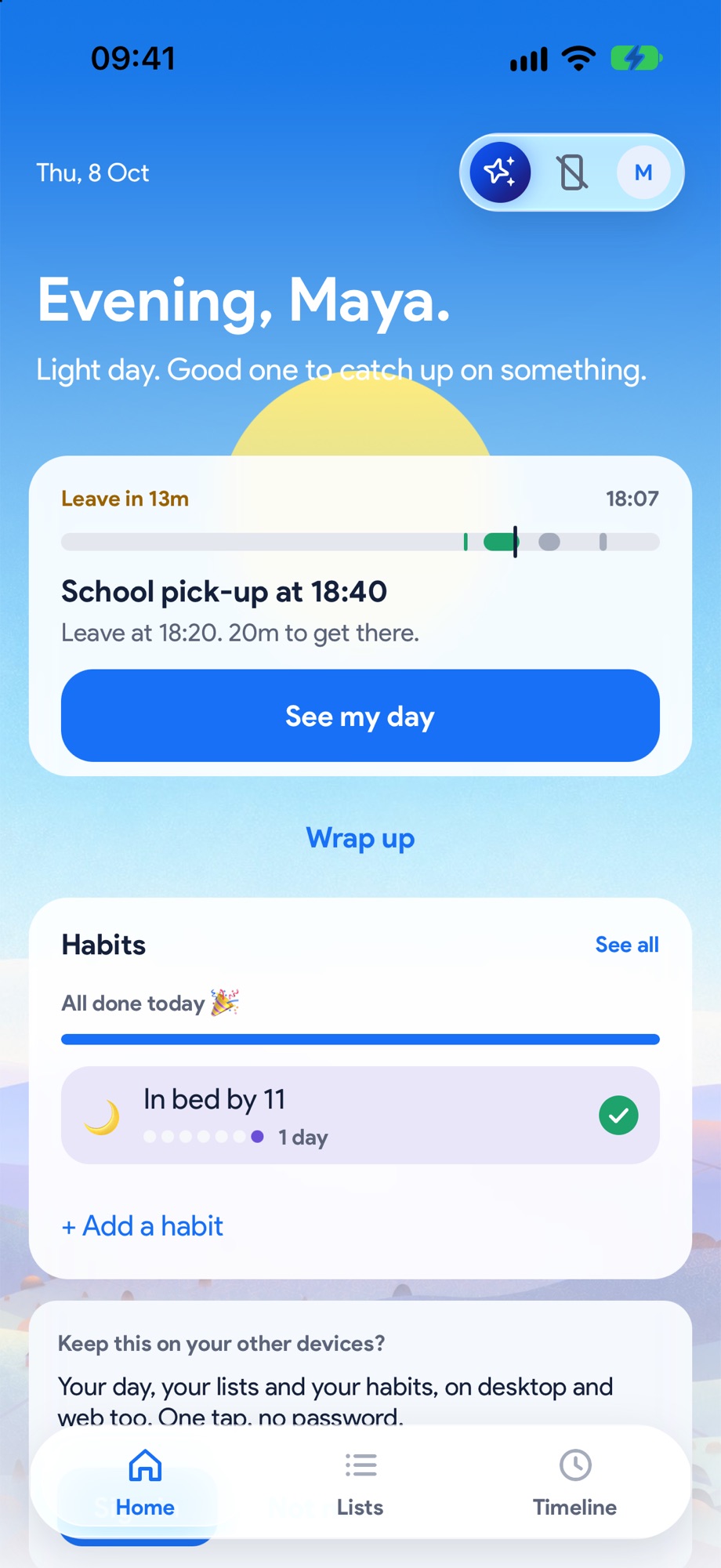
As it gets close, Home switches to Leave in 13m, with when to go and how long it takes to get there. No more running out the door at the time you should be arriving.
Next, try these.
Lock in the school run.
Drop-offs and pick-ups can't move, so lock them. When the day runs late, Yoodoo moves everything else and leaves them alone.
Never miss the thing you can't miss.
Bills, appointments, the school run. Switch on an alarm for the few things that really matter, and Yoodoo rings when it's time, even on silent.