← Guides
Get it all out of your head, then give it a day.
Type, send, next. Sorting can wait. Star what matters and swipe right when something's ready for a time.
2 min · For Collector, Starter
- 1
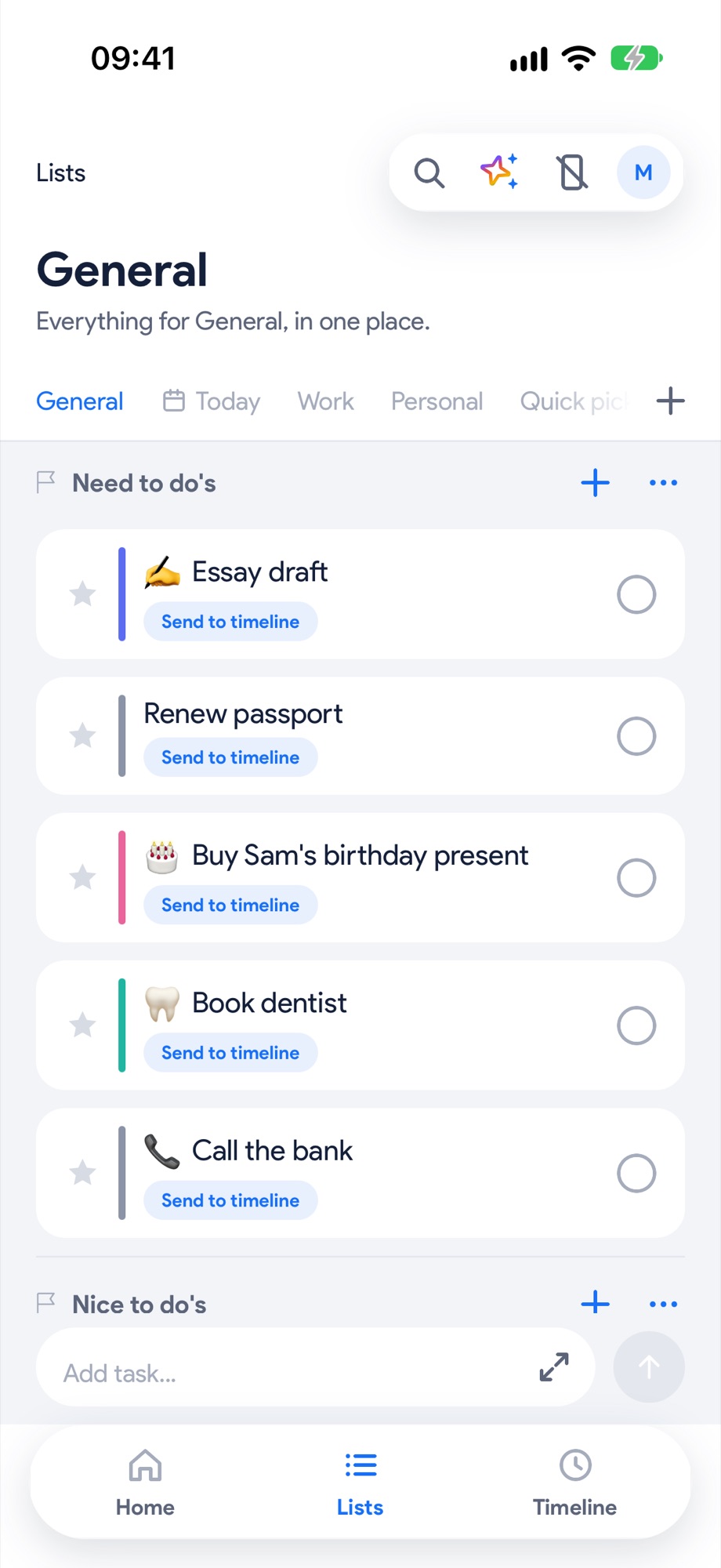
Open Lists and type
Tap Add task… at the bottom. Type, send, next. The keyboard stays up, so you can empty your head in one go. Sorting can wait.
- 2
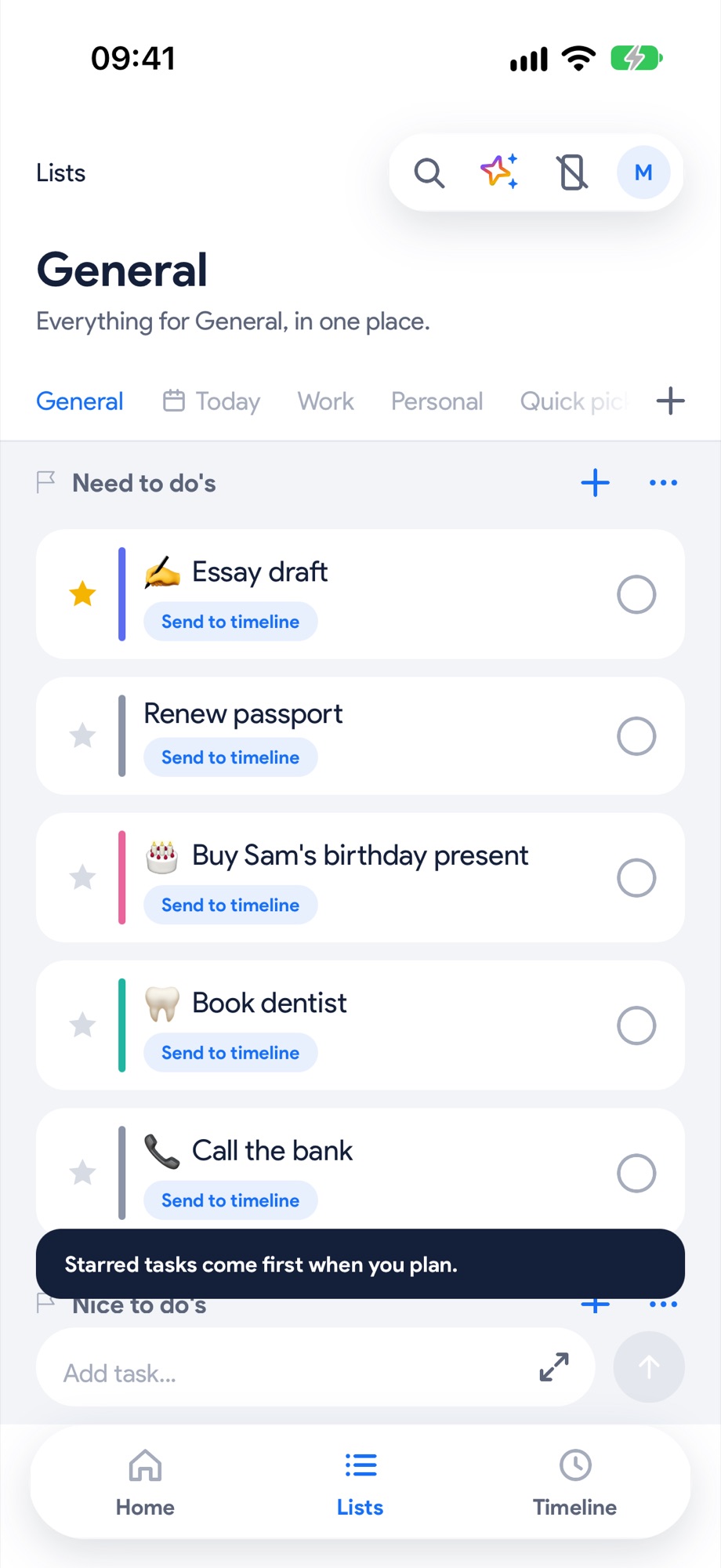
Star what matters
Tap the star on anything that matters. Starred tasks rise and get planned first.
- 3
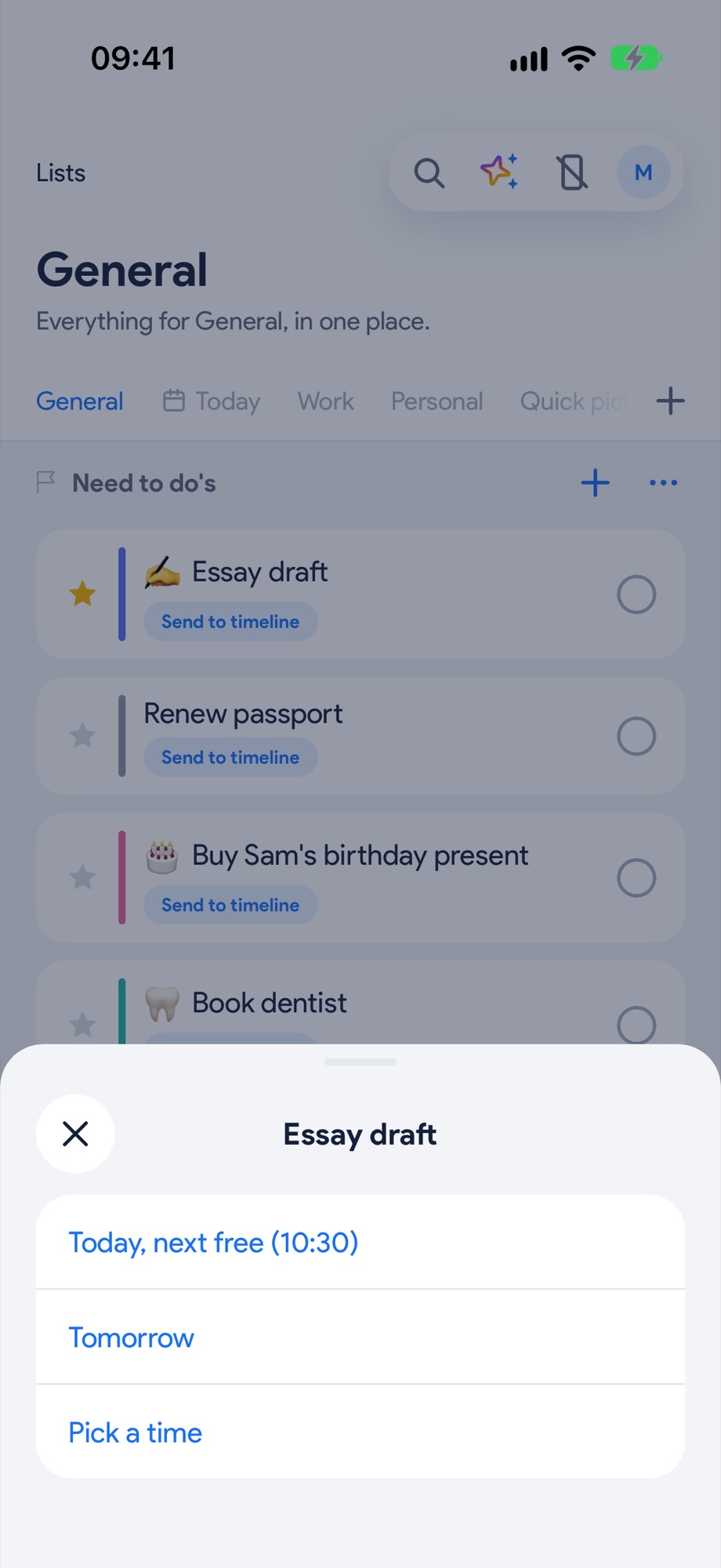
Give it a day
Tap Send to timeline: Today, next free, Tomorrow, or Pick a time with Apple's time wheel. Or swipe a task right to send it to today.
- 4
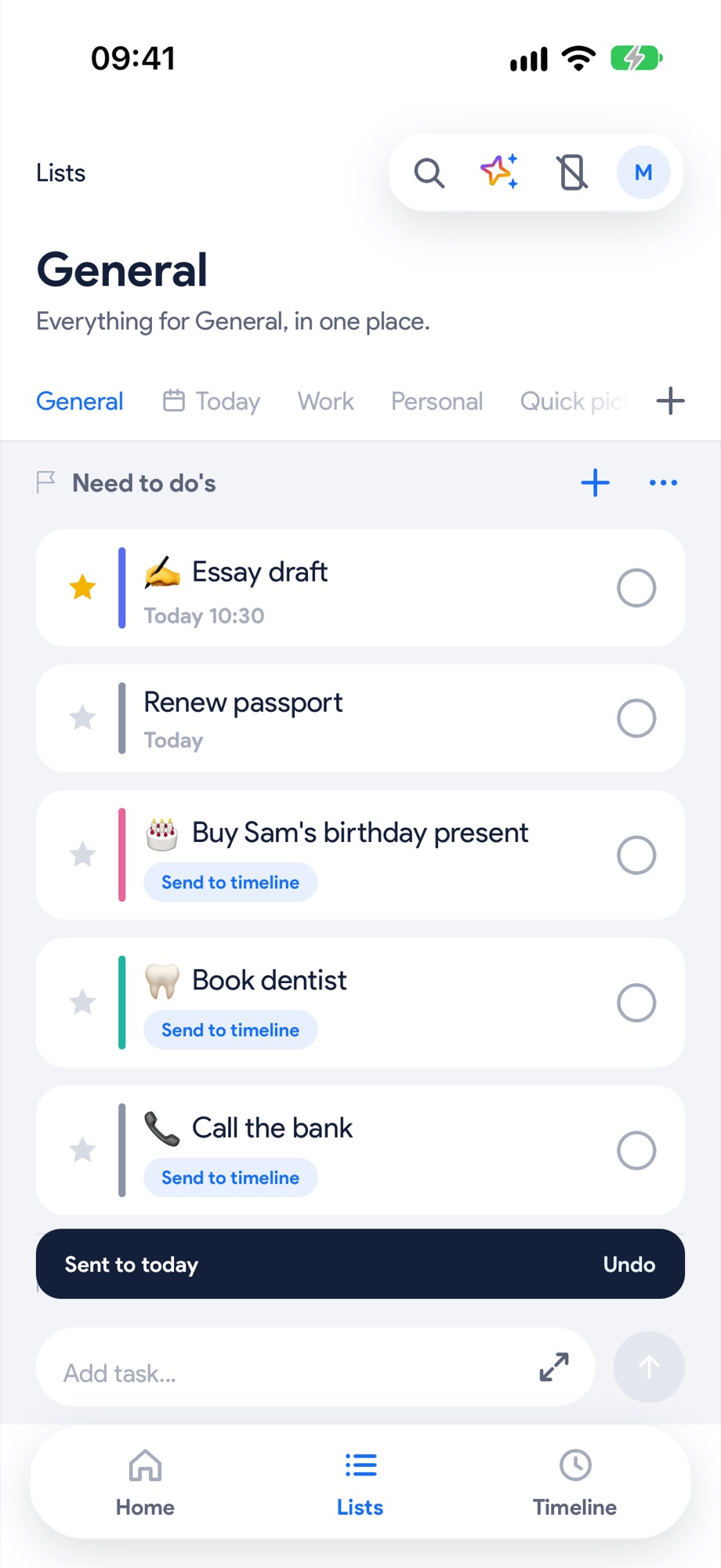
It's real now
It shows its time in the list, Sent to today confirms it, and it's on your timeline.
See it in someone's daySam, office job by day, candle shop by nightNotes, Notion, the envelope, the 2am thoughts. All of it typed into one list, fast, sorting later.Tom, second-year history studentThe reading list, the essay, the email to his tutor. All of it out of his head and into Lists, with the essay starred.